We are excited to share a new export tool available in the Track-POD Plan&Track tab! This powerful feature allows you to create customized Excel reports that can drill down from the route level all the way to the goods level. Let’s take a closer look at how to utilize this fantastic tool.
Step 1: Accessing the Export Feature
To get started, navigate to the Plan&Track tab in your Track-POD dashboard. Click on Reports and then select Export to Excel. Before proceeding, make sure to tick the route(s) you would like to export. This step is crucial as it defines the scope of your report.
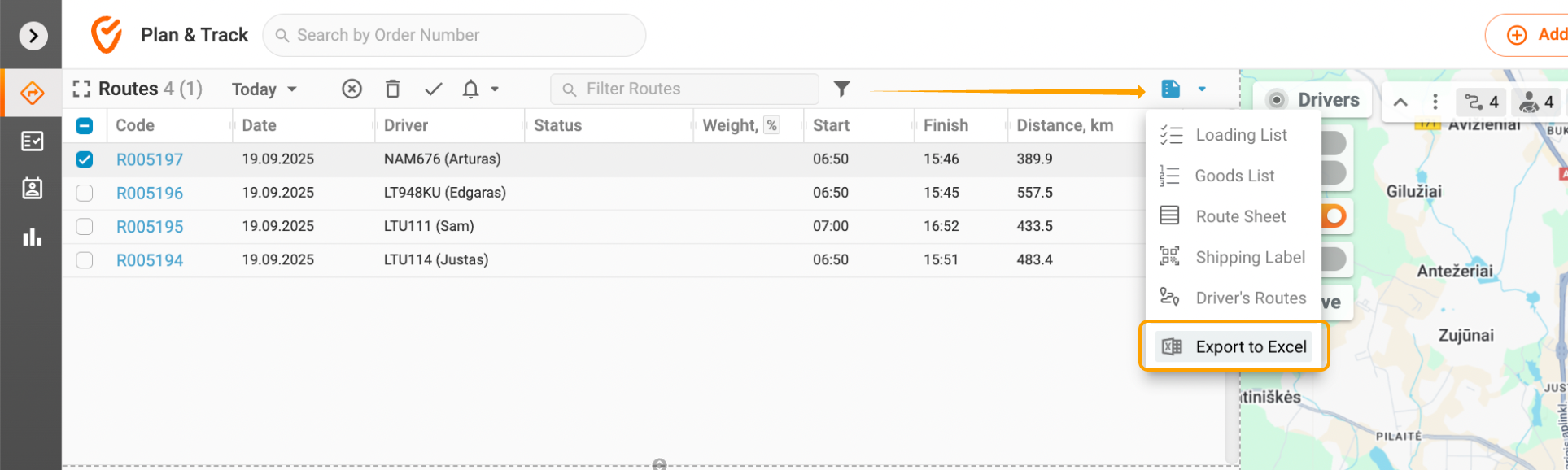
Step 2: Configuring Your Export
Once you select the routes, the Export Setup window will open. Here, you can customize your report by selecting the specific data you want to include. You will find tabs labeled Route, Site, Order, and Goods. Simply enable the export of any relevant data by ticking the corresponding boxes.
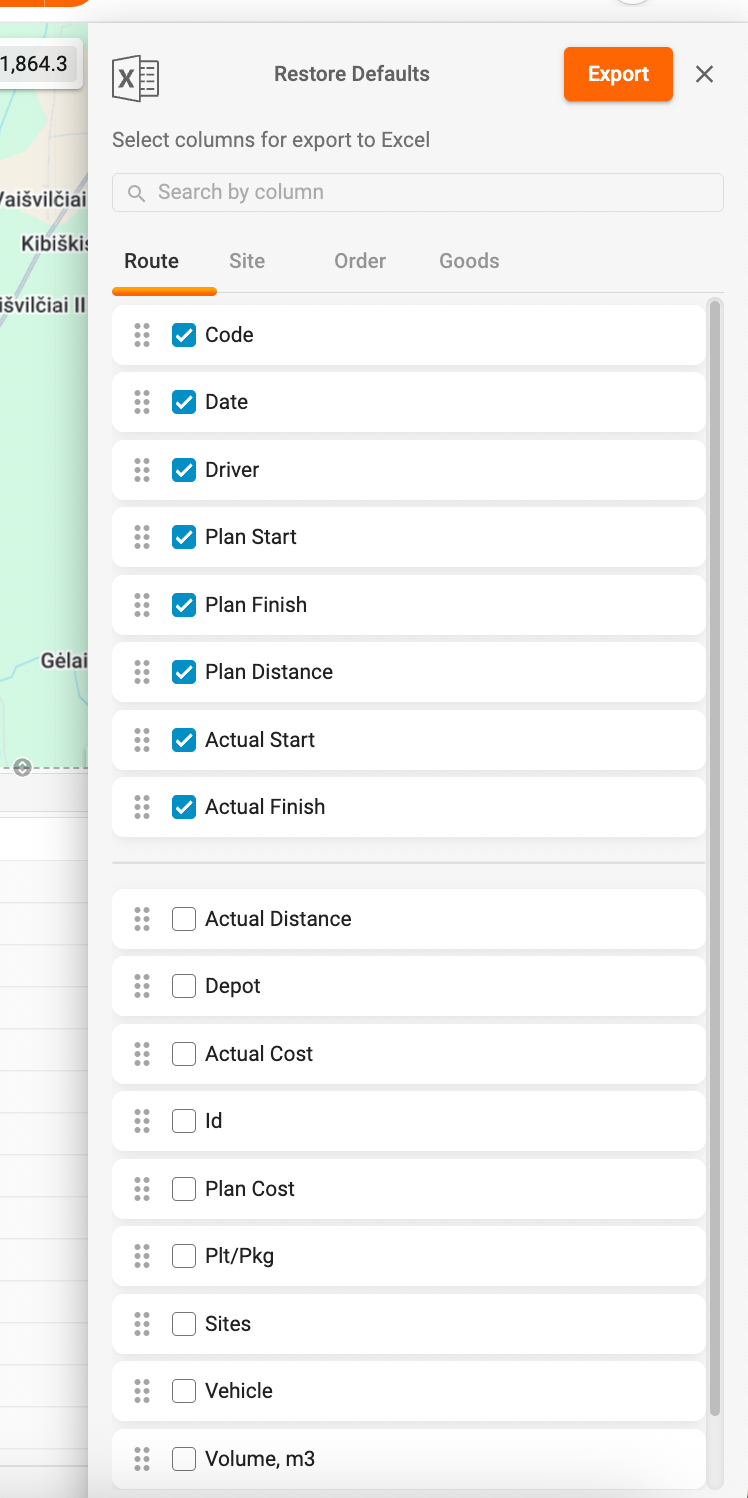
Multi-Layered Reporting
One of the standout features of this export tool is its multi-layered reporting capability. You can choose to export just the routes, or you can delve deeper by exporting routes along with their associated sites, orders, and items. This flexibility allows you to tailor your report to meet your specific needs, whether you require a high-level overview or a detailed breakdown.
Example Reports
- Default Route Export: This will provide you with a straightforward report containing only the selected routes.

- Multi-Layered Report: If you choose to include sites, orders, and items, your report will reflect a comprehensive view, showcasing all relevant details for the selected routes.
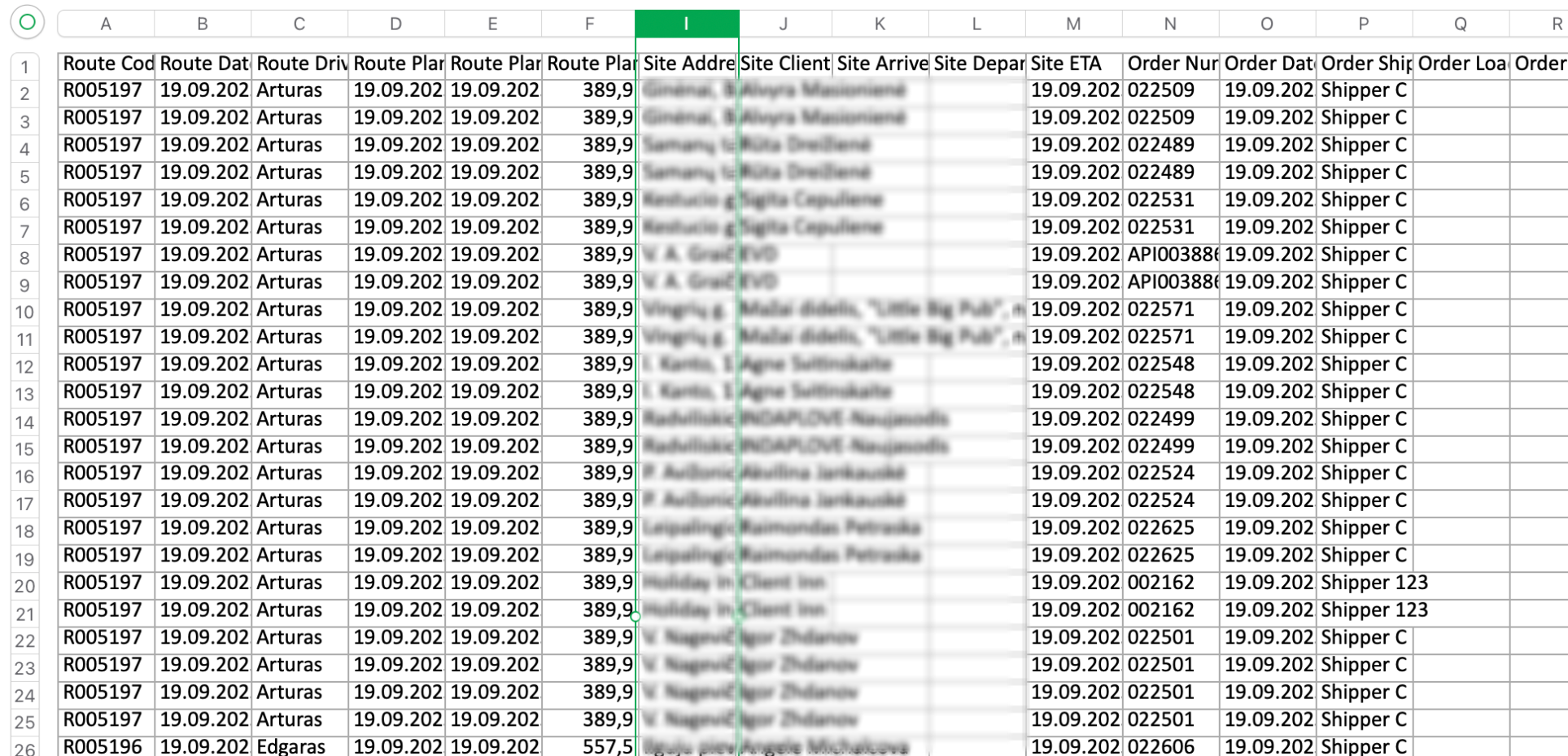
We encourage you to explore this new feature and see how it can enhance your reporting capabilities. Should you have any questions or need assistance, please don’t hesitate to reach out to us at support@track-pod.com. Happy exporting!
Was this article helpful?
That’s Great!
Thank you for your feedback
Sorry! We couldn't be helpful
Thank you for your feedback
Feedback sent
We appreciate your effort and will try to fix the article