If you’ve landed on this article, you might be experiencing some confusion regarding the recent updates to our Track-POD user interface (UX). We understand that changes can sometimes be a bit disorienting, so we’re here to help you navigate the new layout!
What’s New?
We’ve been hard at work updating our platform, and as part of this process, we’ve moved the shipping label and scanning settings. Here’s what you need to know:
New Location: Previously, you may have accessed shipping labels and scanning settings under the Reports tab. We’ve now streamlined this feature for easier access. You can find everything related to shipping labels and scanning in the new Scanning tab, which is located within the Mobile Workflow settings.
- Accessing the Scanning Tab: To locate the new Scanning tab, simply navigate to the Mobile Workflow section of your dashboard. This will give you access to all shipping label settings in one convenient place, making it easier to manage your shipping processes.
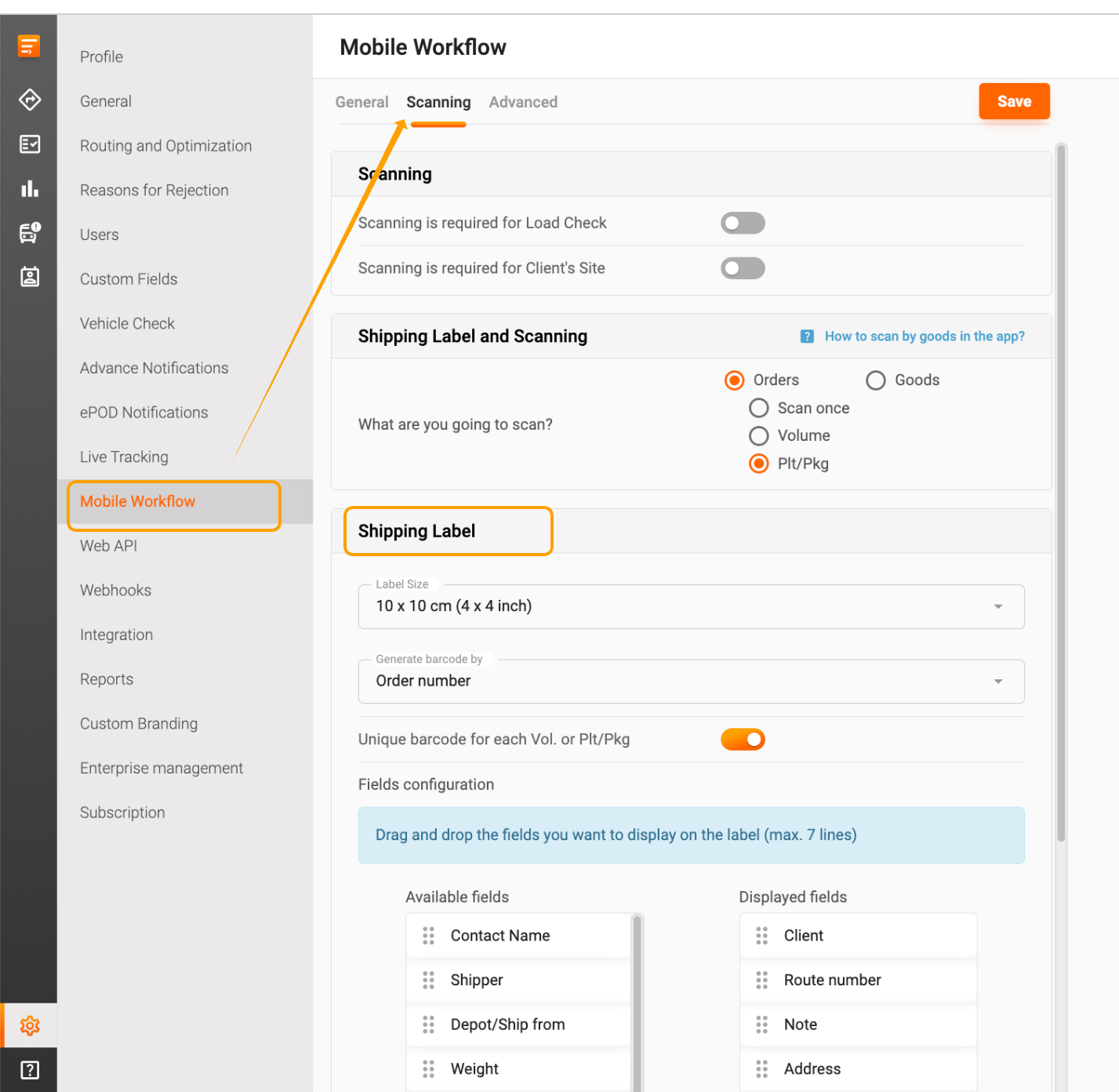
- Enhanced Features: The new Scanning tab not only consolidates shipping label settings but also introduces enhanced features for a smoother workflow. You’ll find improved scanning options that can help you save time and reduce errors during your shipping operations.
Need More Help?
If you’re still having trouble finding the shipping label and scanning settings, don’t hesitate to reach out to our customer support team. We’re here to assist you with any questions or concerns you may have.
For more detailed information about shipping labels, please check out our dedicated article. Thank you for your understanding as we continue to improve your Track-POD experience!
Was this article helpful?
That’s Great!
Thank you for your feedback
Sorry! We couldn't be helpful
Thank you for your feedback
Feedback sent
We appreciate your effort and will try to fix the article