At Track-POD, we understand how important timely notifications are for your business and your customers. Our ePOD notification service is designed to keep everyone informed throughout the delivery process. However, if you find that notifications are not being delivered, don’t worry! Here are some steps you can take to troubleshoot the issue.
1. Verify Email Information
First, ensure that the orders you are processing contain valid email addresses. To do this, click on the specific order in your dashboard and check the order details. If the email address is incorrect or missing, update it to ensure notifications can be sent successfully.
2. Check Notification Settings
There are several notification settings that you can configure to ensure your customers receive timely updates:
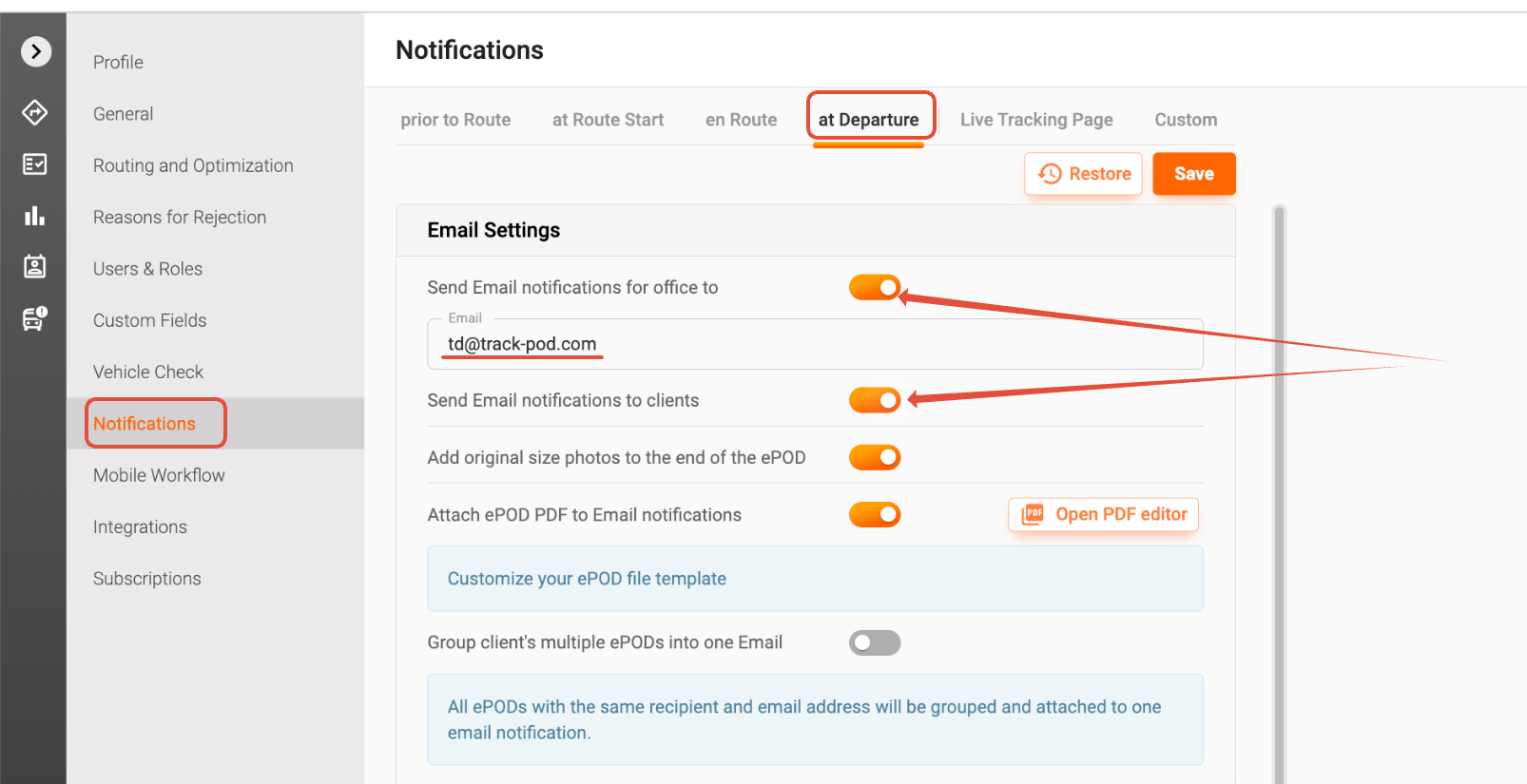
- ePOD Notifications (at Departure): These notifications are sent when the delivery departs from the customer’s site. Make sure this feature is enabled for your orders.
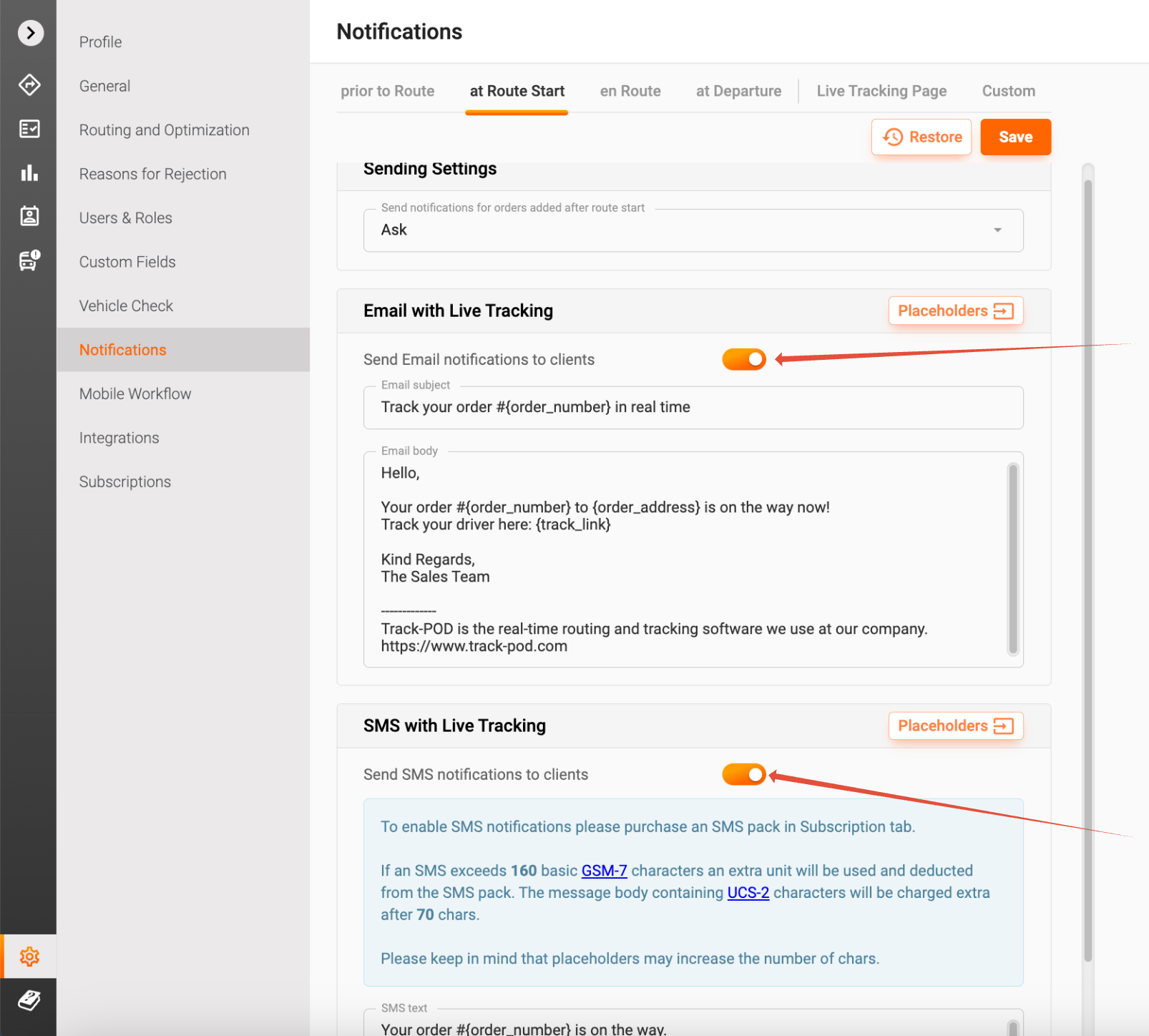
- Live Tracking Emails and SMS (at Route Start): These notifications are sent at the start of the delivery route. Ensure that this setting is activated so your customers can track their orders in real-time.
- Live Tracking with Actual ETA (en Route): Notifications are also sent with the estimated time of arrival (ETA) when the delivery departs from the previous stop. This feature helps keep your customers informed about when to expect their delivery.
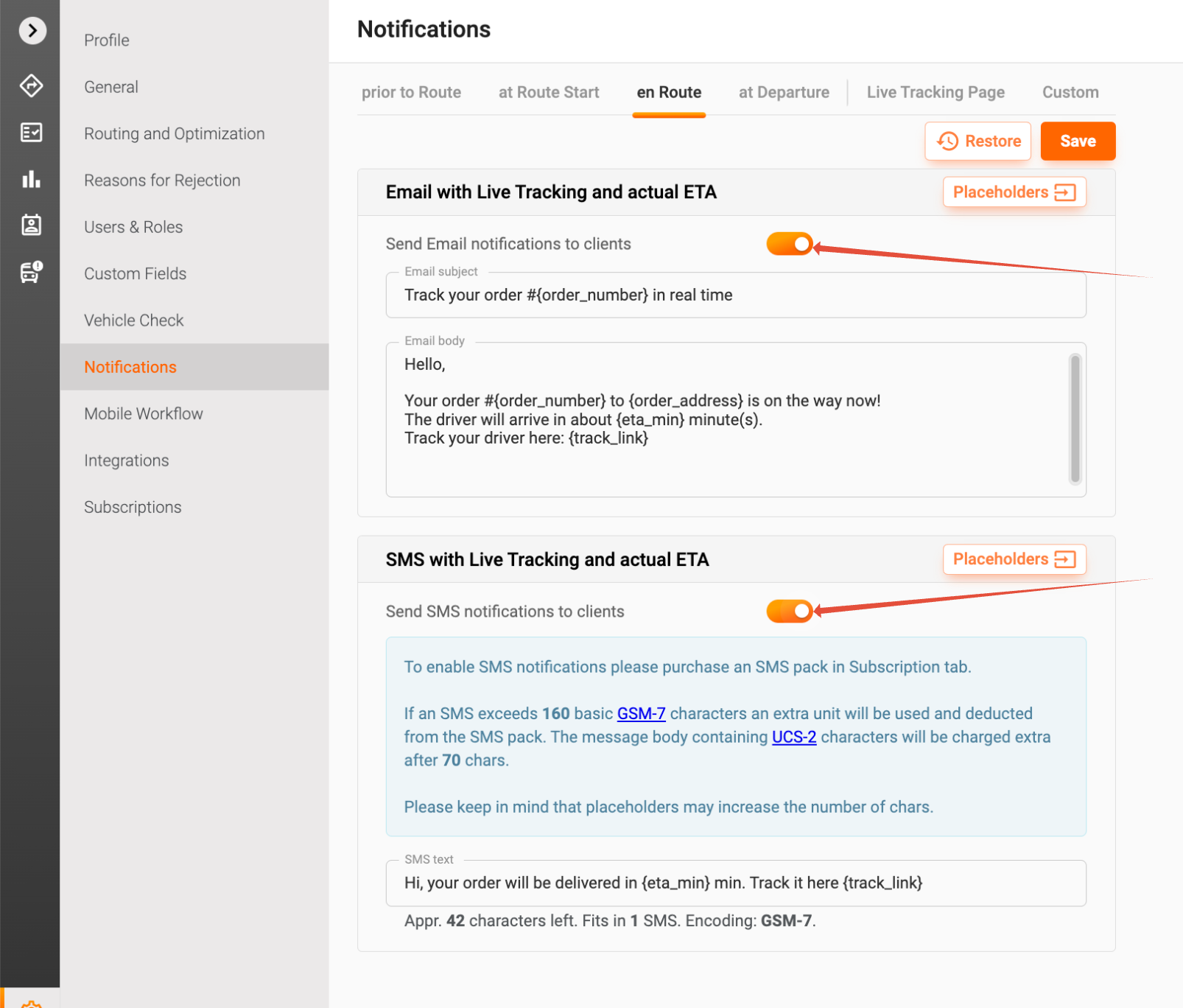
Remember to hit the Save button after making any changes to your notification settings to ensure they are applied.
3. Check Notification Status
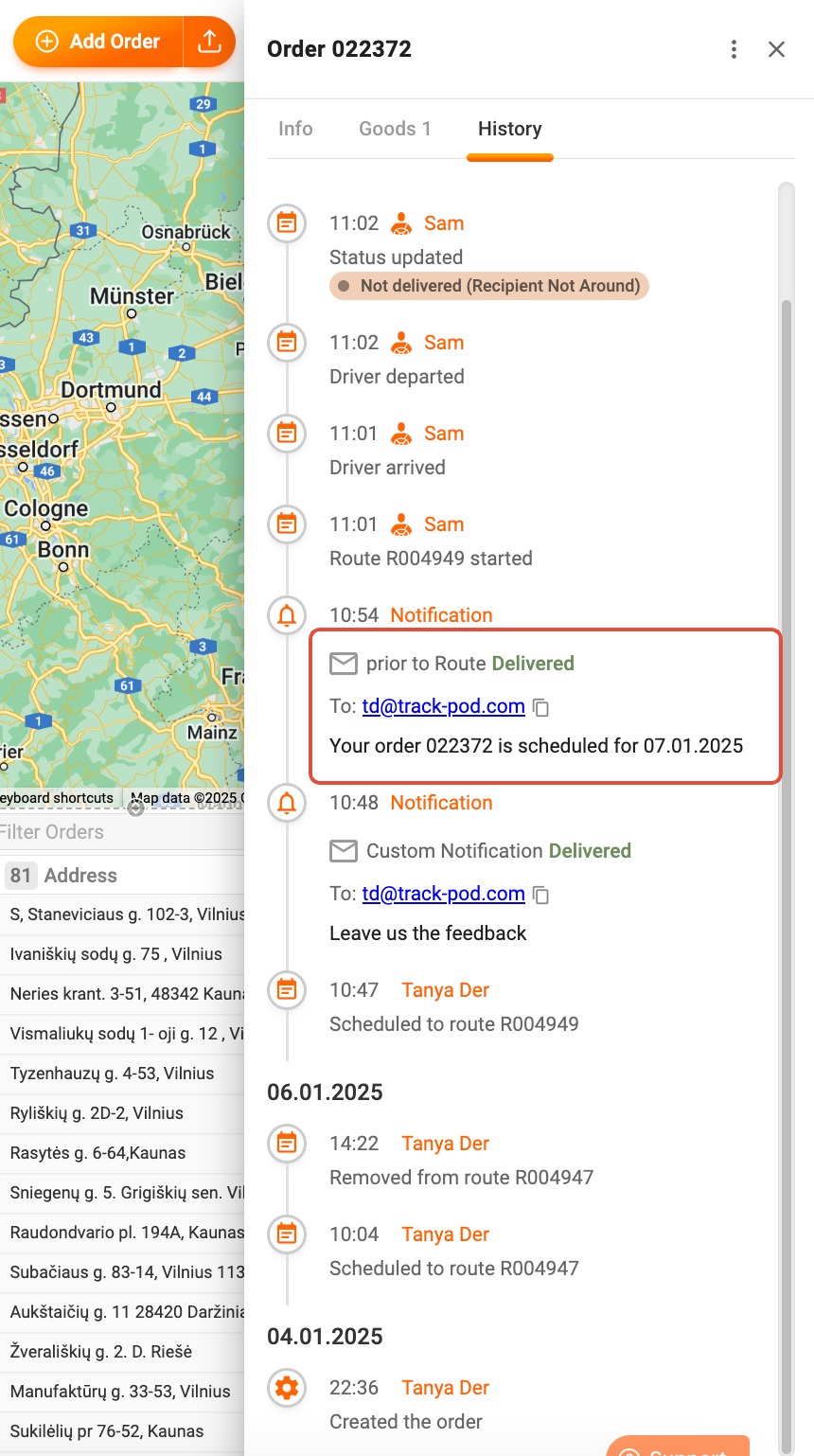
If you’re still experiencing issues, you can check the status of notifications sent for each order. Simply click on the order number in your dashboard and navigate to the History tab. This will provide you with a log of all notifications that have been sent, allowing you to identify any potential issues.
Related Articles
For further assistance, you can explore our related articles on notifying your clients. These resources can provide additional insights and tips to enhance your notification process.
If you have any further questions or need additional support, please don’t hesitate to reach out to our customer service team. We’re here to help!
Was this article helpful?
That’s Great!
Thank you for your feedback
Sorry! We couldn't be helpful
Thank you for your feedback
Feedback sent
We appreciate your effort and will try to fix the article