Changing your payment card in Track-POD is a straightforward process that can be completed in just a few steps. Whether you’ve received a new card or simply want to update your payment information, follow the instructions below to ensure your subscription remains uninterrupted.
Step 1: Access the Settings
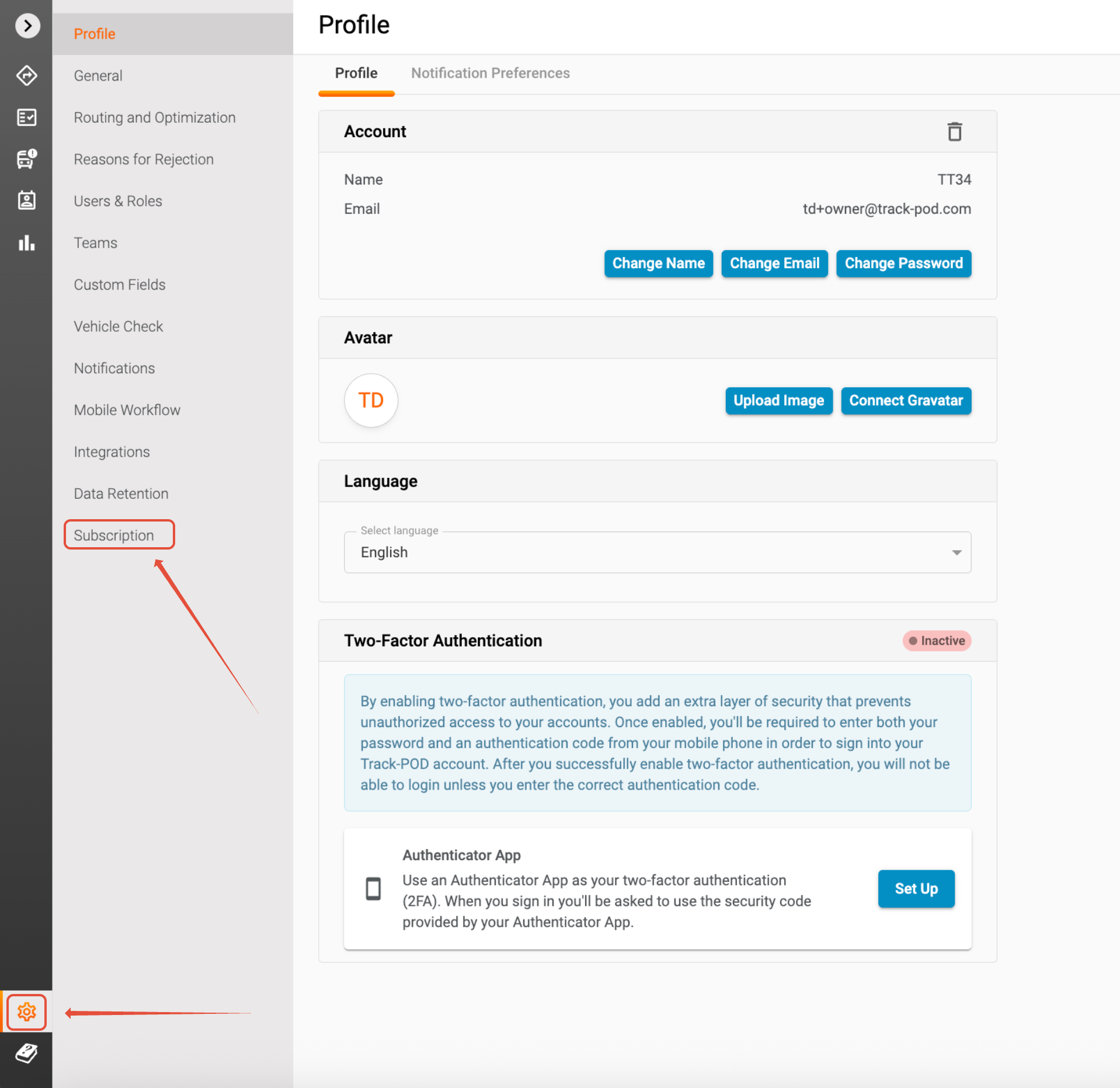
To begin, log in to your Track-POD account. Once you’re logged in, navigate to the Settings section. You can find this option in the main menu, in the bottom left corner of your dashboard. Click on Settings to proceed.
Step 2: Go to Subscription
Within the Settings menu, look for the Subscription tab. This section contains all the information related to your current subscription plan, including payment details. Click on Subscription to view your existing payment method.
Step 3: Change Payment Method
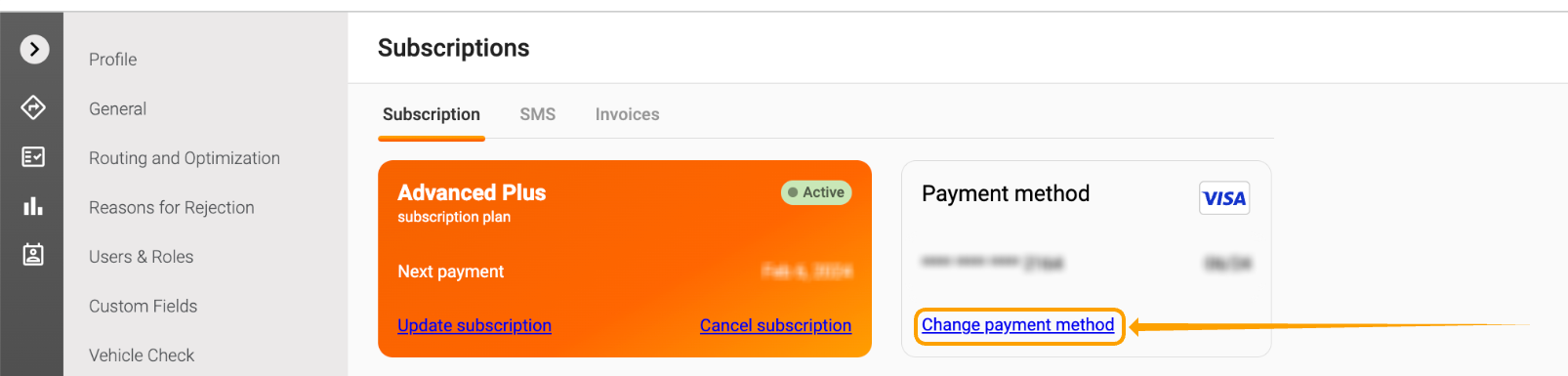
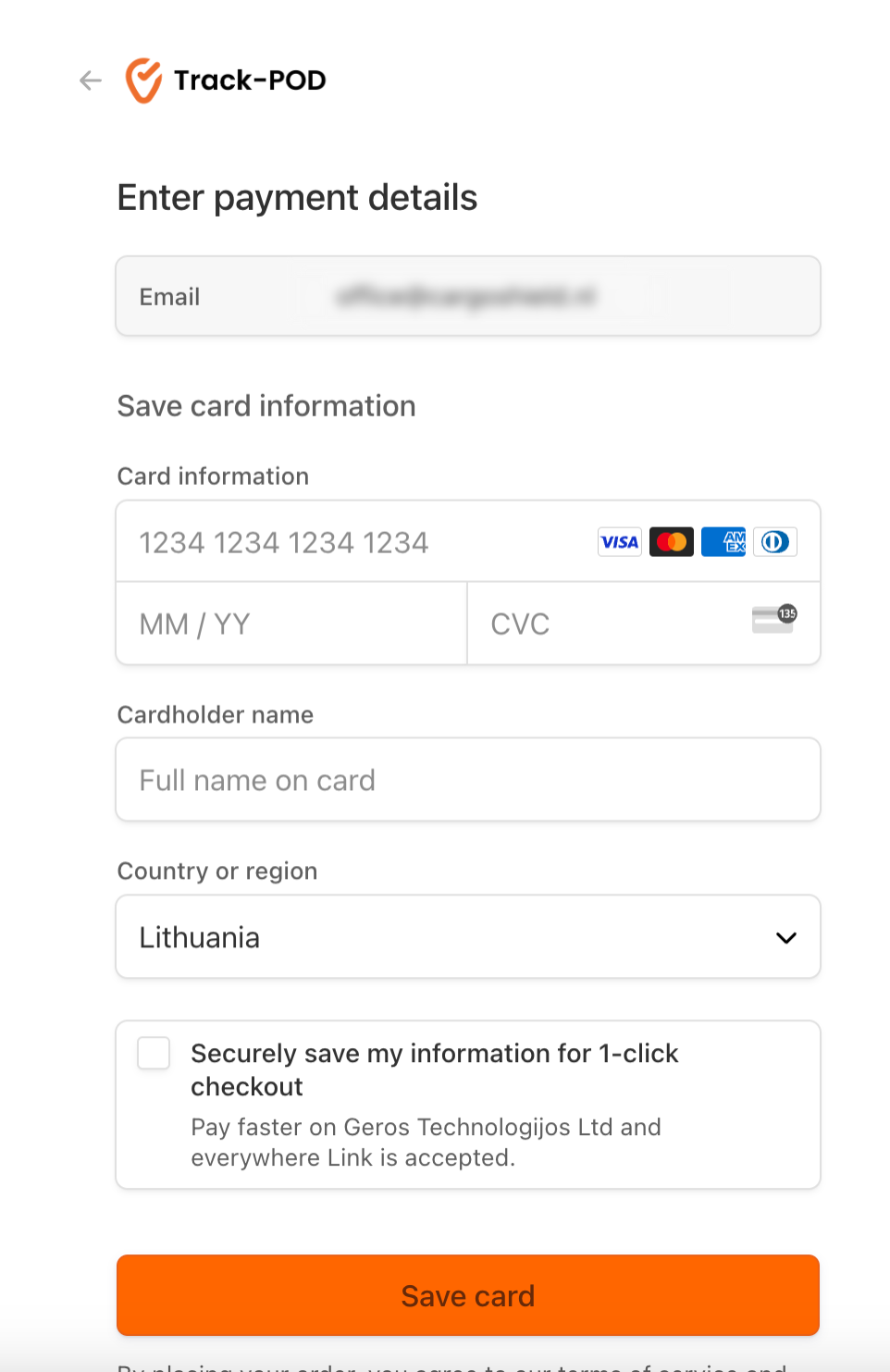
In the Subscription section, you will see an option labeled Change payment method. Click on this option to initiate the process of updating your payment card. You will be prompted to enter your new card details, including the card number, expiration date, and CVV code. Make sure to double-check the information for accuracy to avoid any issues with future payments.
Step 4: Save Your Card
Once you have entered your new payment information, click on the Save card button. This action will update your payment method in our system. You should receive a confirmation message indicating that your payment details have been successfully updated.
And that’s it! You have successfully changed your payment card in Track-POD. If you encounter any issues during this process or have further questions, feel free to reach out to our customer support team for assistance. We’re here to help!
Was this article helpful?
That’s Great!
Thank you for your feedback
Sorry! We couldn't be helpful
Thank you for your feedback
Feedback sent
We appreciate your effort and will try to fix the article