At the moment, our system does not have a dedicated functionality for a control tower/ dispatcher wall view. However, you can achieve a similar setup using the Chrome Split View feature. Follow the steps below to create an effective monitoring interface for tracking order statuses and drivers.
Step-by-Step Guide
1. Create a New User: Start by creating a new user account specifically for this purpose. Once created, log into the system using this new user. This helps in keeping your monitoring activities separate from your regular tasks.
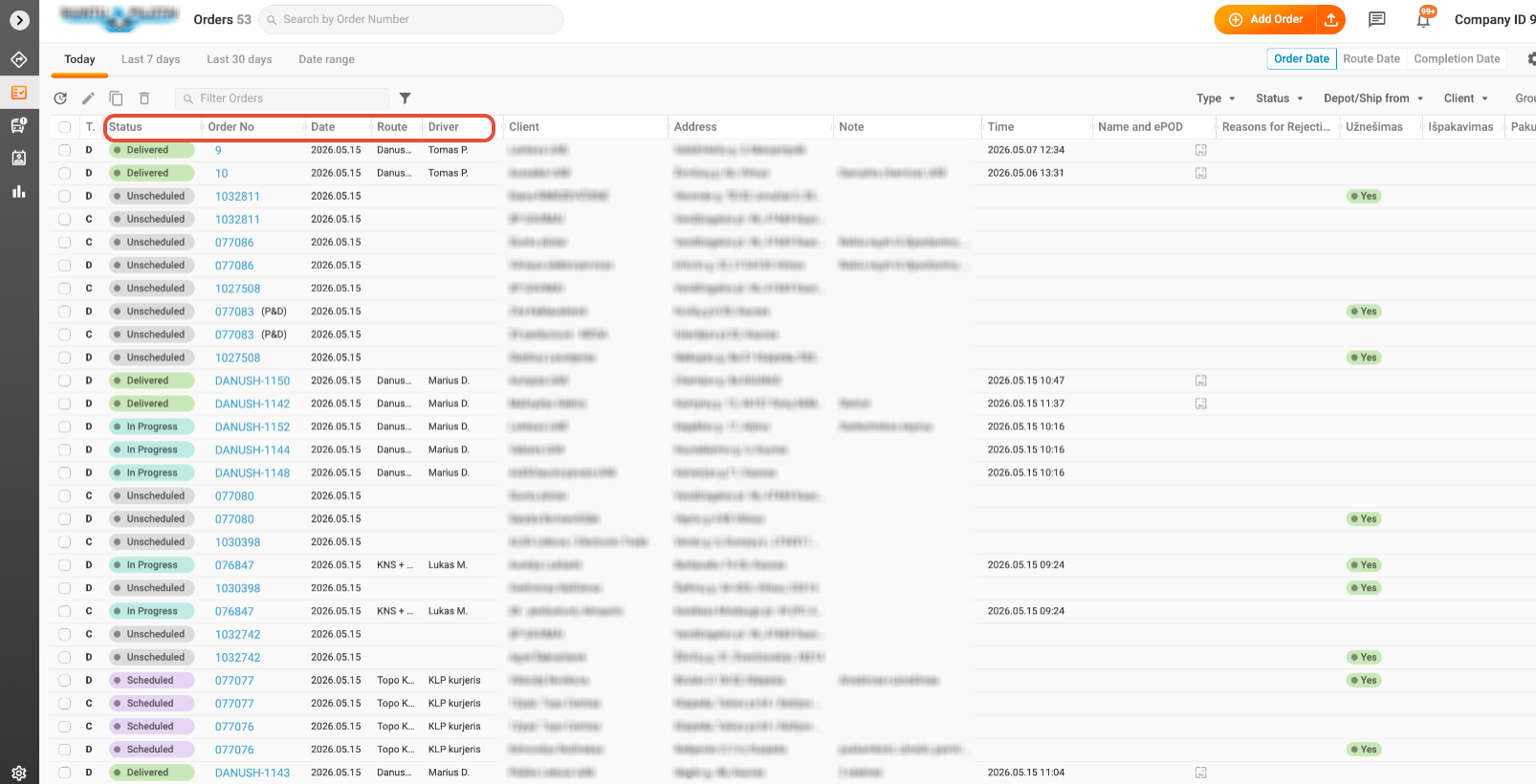
2. Open Orders: Navigate to the Orders section. Here, you can customize the display by adjusting the column sequence. Ensure that the order status, number, route, and driver columns are visible. This arrangement will provide you with a clear overview of all active orders.
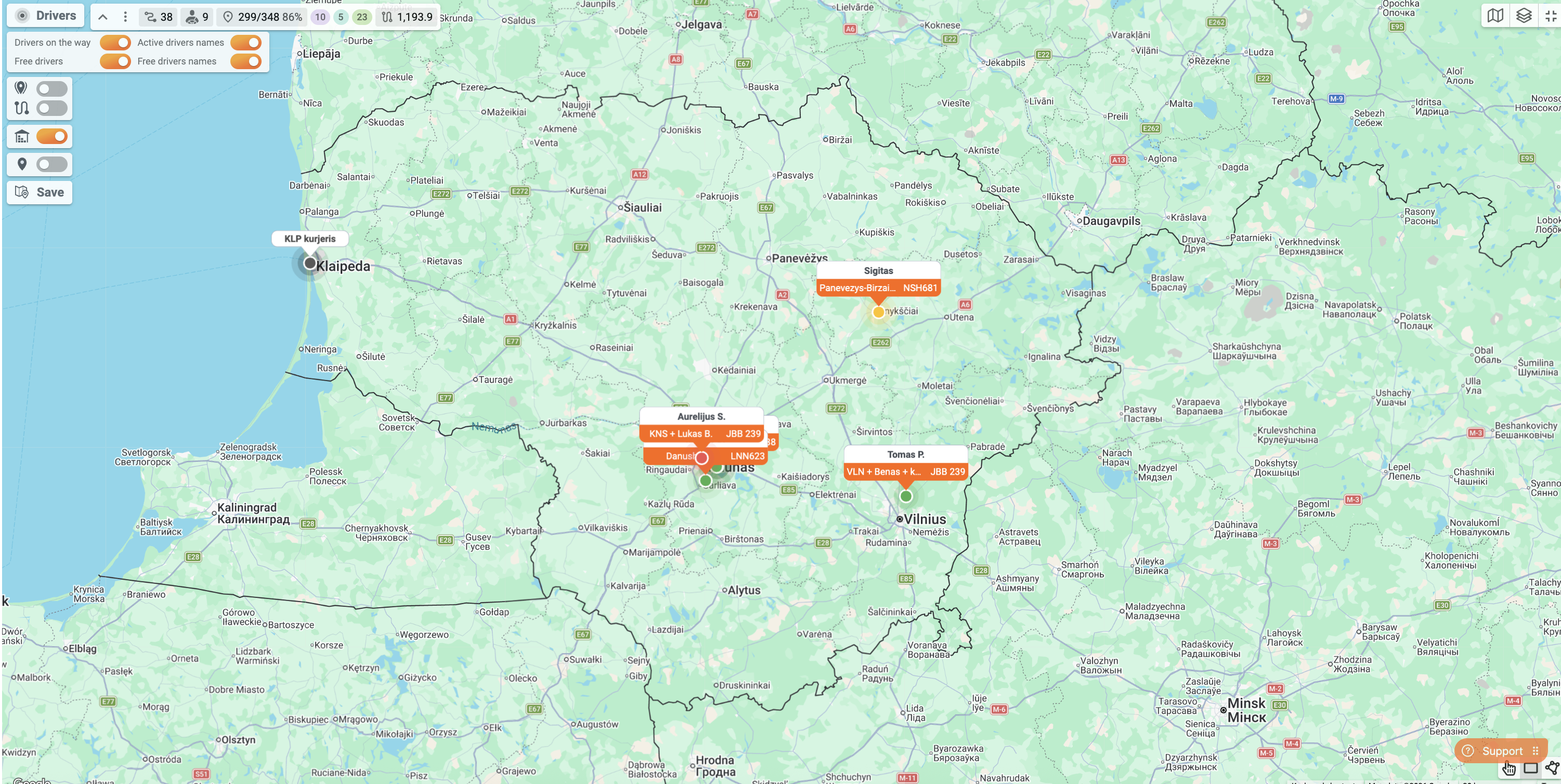
3. Open Plan and Track: In a new tab, open the Plan and Track view. Expand the map to fill the entire screen. This ensures that all drivers, whether available or busy, are displayed prominently. A full-screen map allows for better visibility and tracking of your fleet's movements.
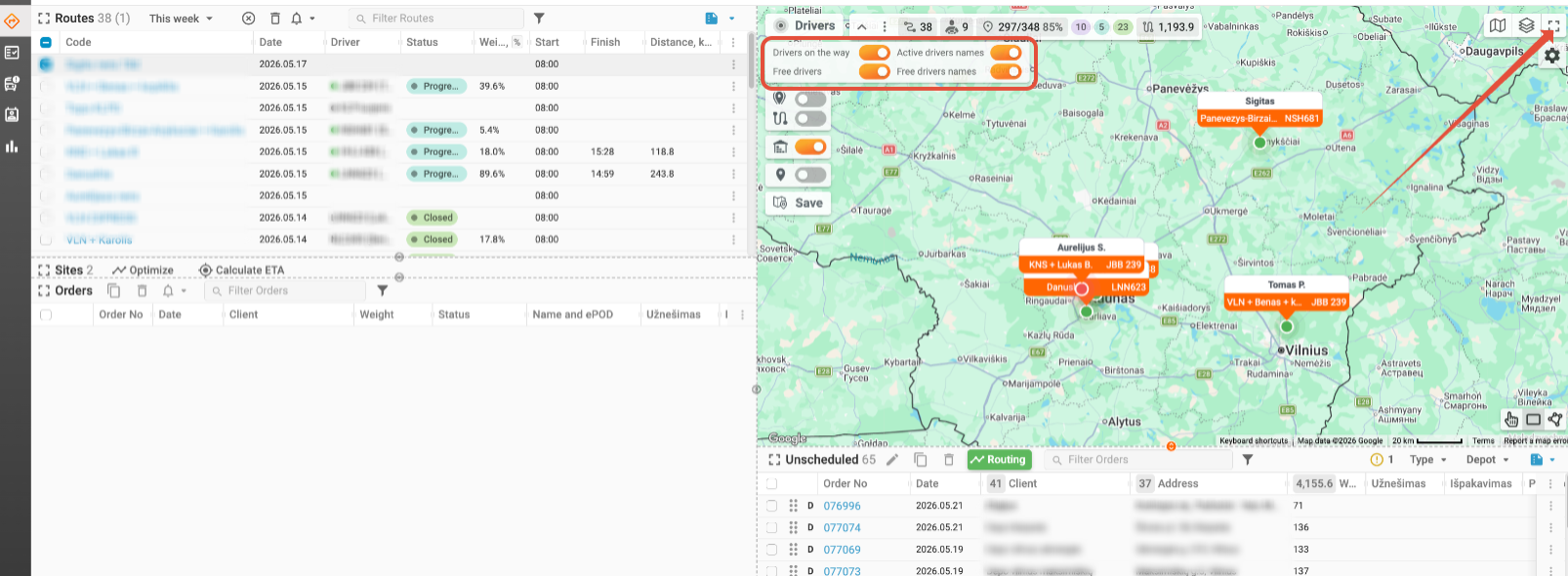
This perspective may suffice for you to observe all active routes; however, you may also wish to concurrently track order statuses online. Now, let's proceed to step 4.
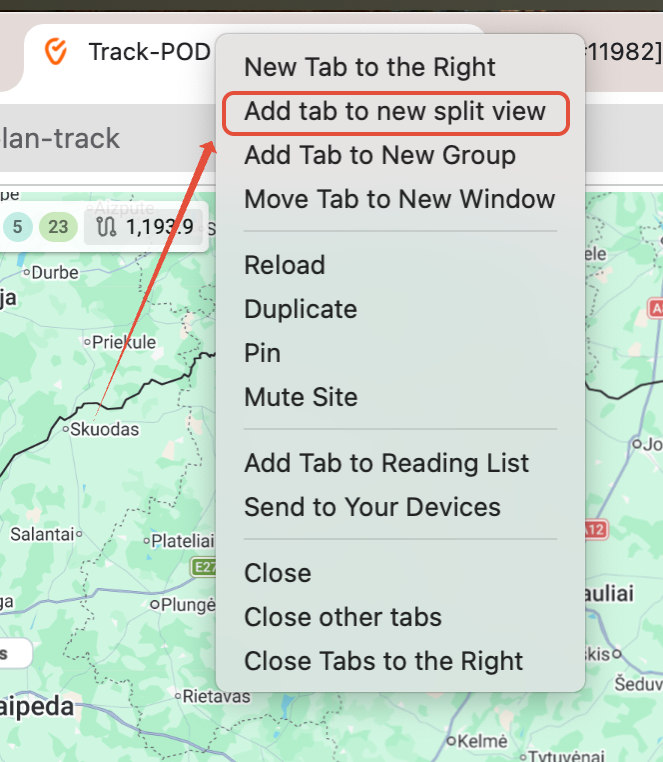
4. Utilize Google Chrome Split View: Right-click on any of the tab headers and select "Add tab to new split view." This action will create a side-by-side view of your Orders and Plan and Track tabs. You can adjust the proportions of each tab to suit your preference, allowing you to monitor order statuses and driver locations simultaneously.
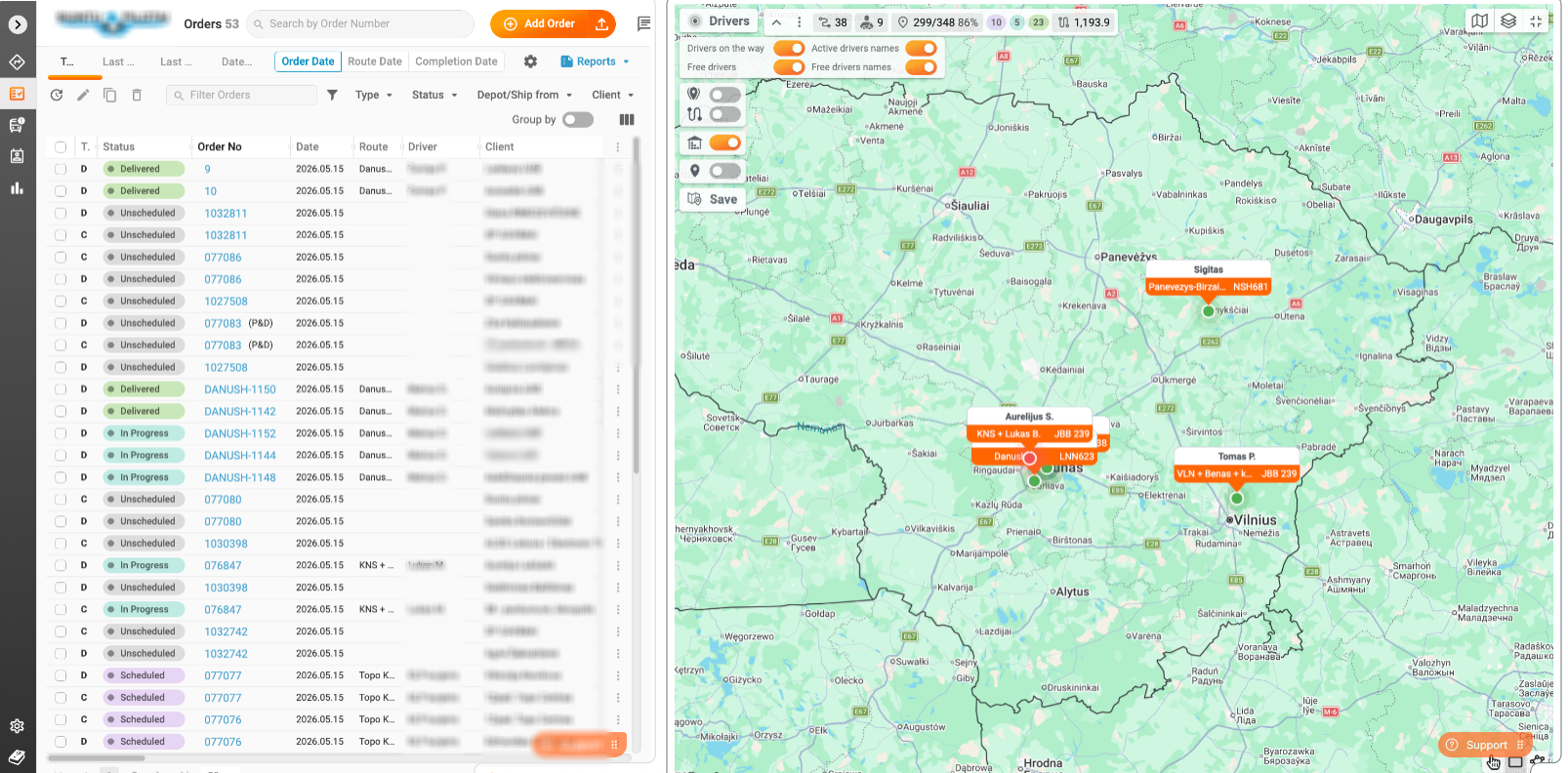
Automatic Updates
One of the advantages of this setup is that you do not need to refresh the pages manually. The system automatically updates every 2-3 seconds, ensuring that you have the latest information at your fingertips.
Future Developments
We understand the importance of having a dedicated interface for monitoring your fleet. Our tech team is actively working on introducing a specific solution designed for this purpose, which can be displayed on a separate large screen. While we cannot provide an estimated time of arrival (ETA) for this feature just yet, we will certainly keep you informed and announce its rollout as soon as it is available.
By following these steps, you can effectively monitor your orders and drivers, enhancing your operational efficiency until our dedicated control tower functionality is introduced. If you have any further questions or need assistance, please feel free to reach out to our support team!
Was this article helpful?
That’s Great!
Thank you for your feedback
Sorry! We couldn't be helpful
Thank you for your feedback
Feedback sent
We appreciate your effort and will try to fix the article