If your delivery business operates on behalf of multiple customers (referred to as Shippers in Track-POD terminology) under the Ultimate plan, you can create tailored notification templates for each Shipper. This allows you to effectively communicate important information to their end clients via email and SMS. This workflow is applicable when you have several locations or warehouses and wish to send personalized notifications based on the specific warehouse. All you need to do is create a Shipper entry for each warehouse or location and indicate it in the order details.
Here’s how to set up custom notifications:
1. Navigate to Directories -> Shippers: Start by accessing the Shippers section in your Track-POD dashboard. This is where you can manage all your Shippers and their respective settings.
2. Customize Notification Types (Optional): You have the flexibility to customize the types of notifications sent to each Shipper. For example, for Shipper 123, you might choose to send notifications before routes, at the start of the route, and upon departure, while omitting notifications during the journey. This ensures that the communication is relevant and timely.
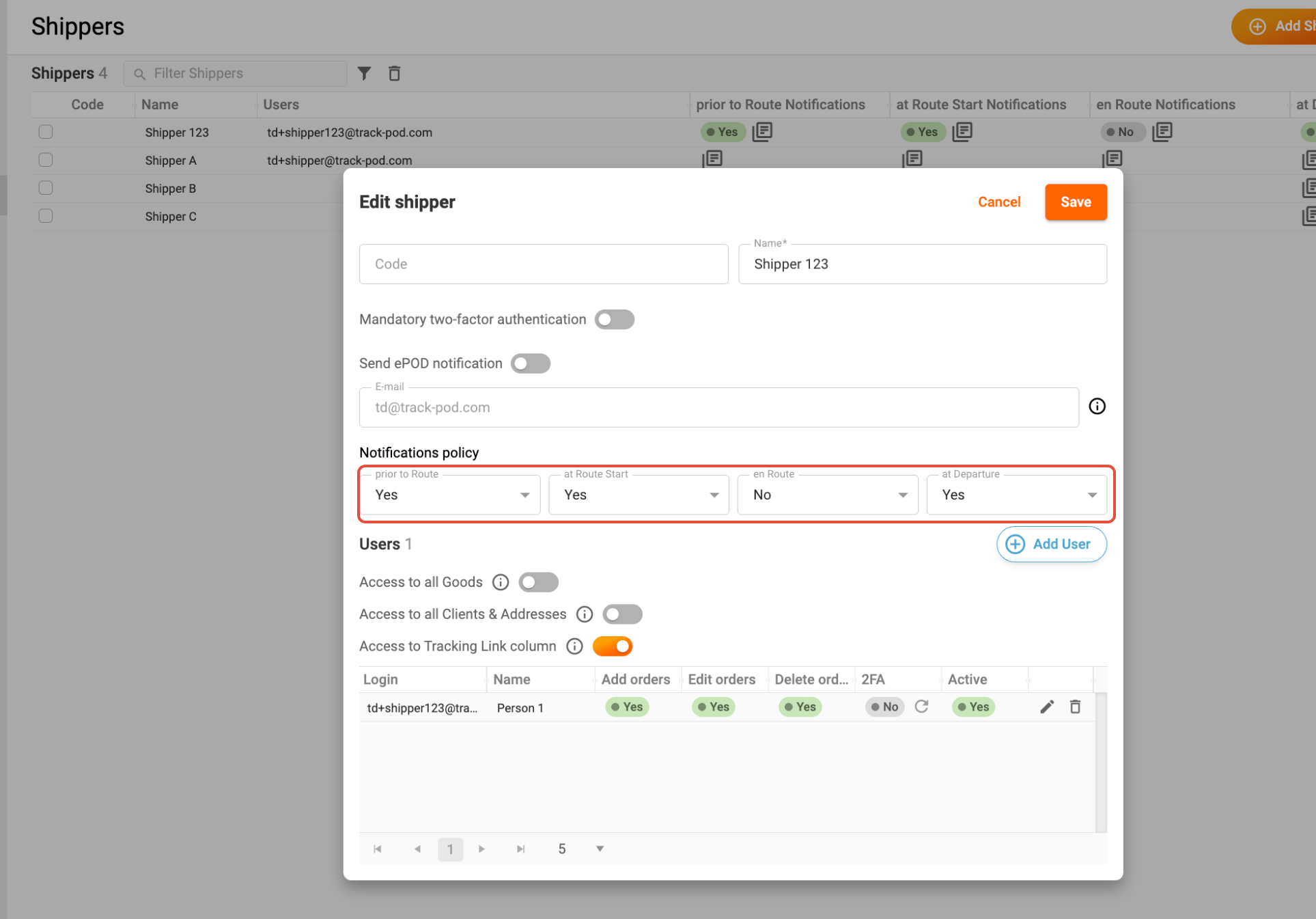
3. Create Custom Templates: To create custom notification templates, click the Message button in the Shippers grid. This will open the option to edit notifications specifically for the selected Shipper.

4. Edit Custom Template: In the Edit Custom Template window, you can modify the default notification template. Utilize the list of available placeholders to personalize your messages. Don’t forget to enable the toggle for Use custom template; you can disable custom notifications at any time if needed. Once you’re satisfied with your changes, click Save to apply the new template.
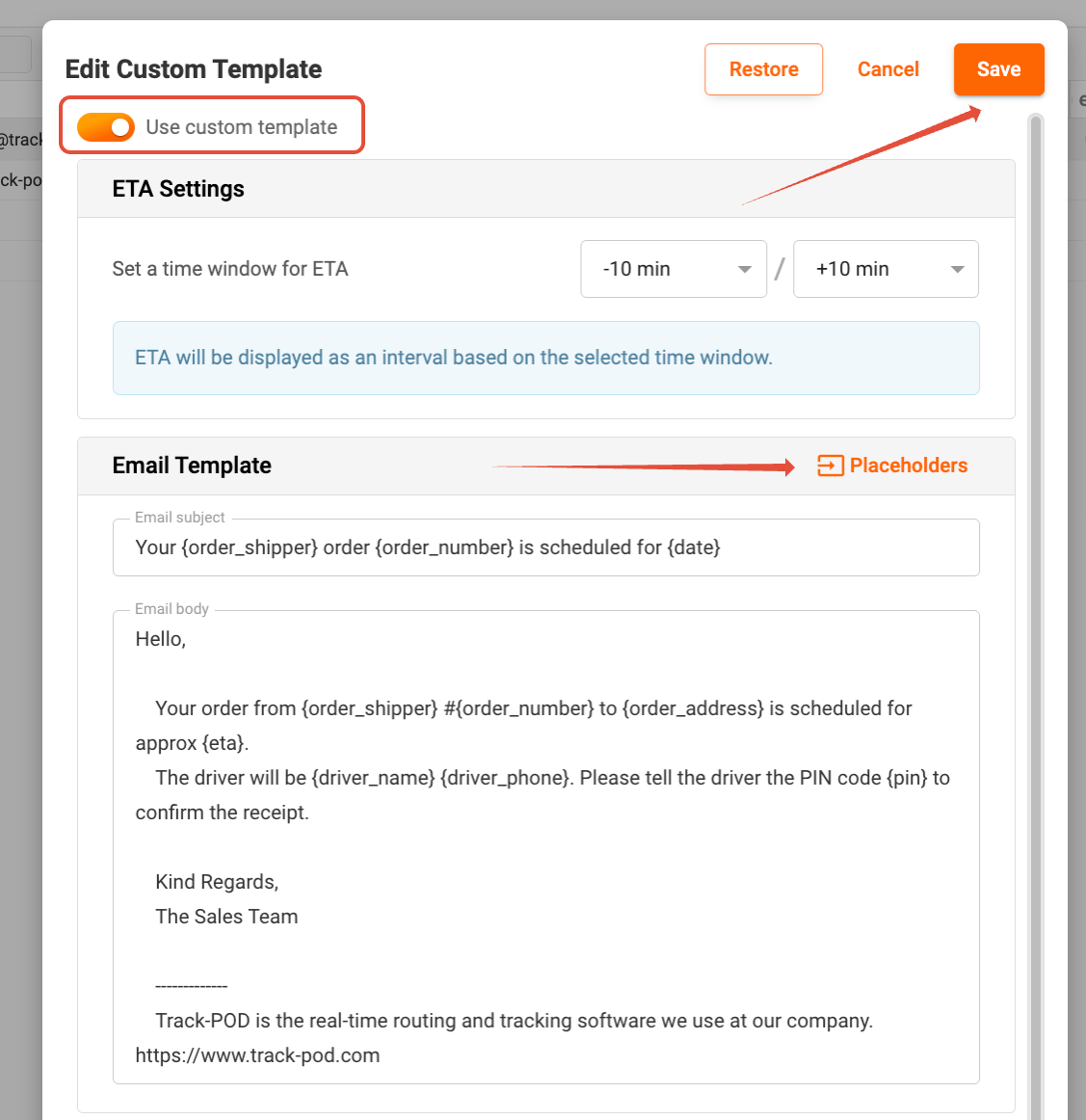
5. Continue with Other Types of Notifications: If you have additional notification types to customize, repeat the process for each one. This ensures that all relevant communications are tailored to meet the specific needs of each Shipper.
Additionally, remember that you can customize an ePOD (electronic Proof of Delivery) template that is automatically sent to your customer (Shipper). This feature enhances the overall customer experience by providing them with relevant delivery information in a professional format.
By following these steps, you can ensure that each Shipper receives the appropriate notifications, enhancing communication and satisfaction for both you and your clients.
Was this article helpful?
That’s Great!
Thank you for your feedback
Sorry! We couldn't be helpful
Thank you for your feedback
Feedback sent
We appreciate your effort and will try to fix the article