At Track-POD, we understand that the delivery business is a dynamic environment, and you often need to think outside the box. To help you manage your communication effectively, we’ve introduced Custom Notifications for situations that require additional or out-of-sequence communication. Setting up these notifications is simple, and you can create both SMS and email templates tailored to various scenarios, allowing you to notify individual clients or all clients on a specific route.
Setting Up Custom Notifications
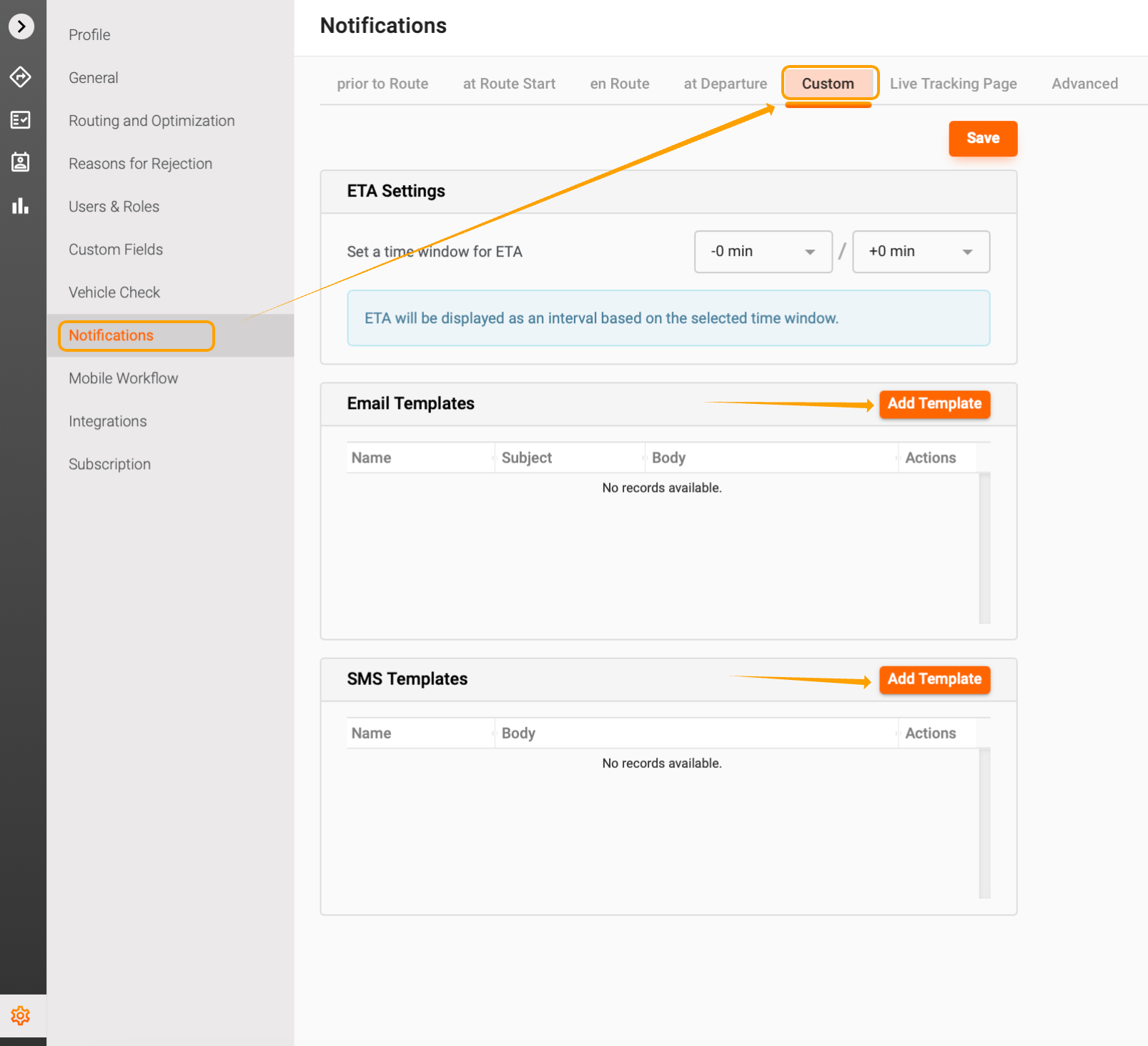
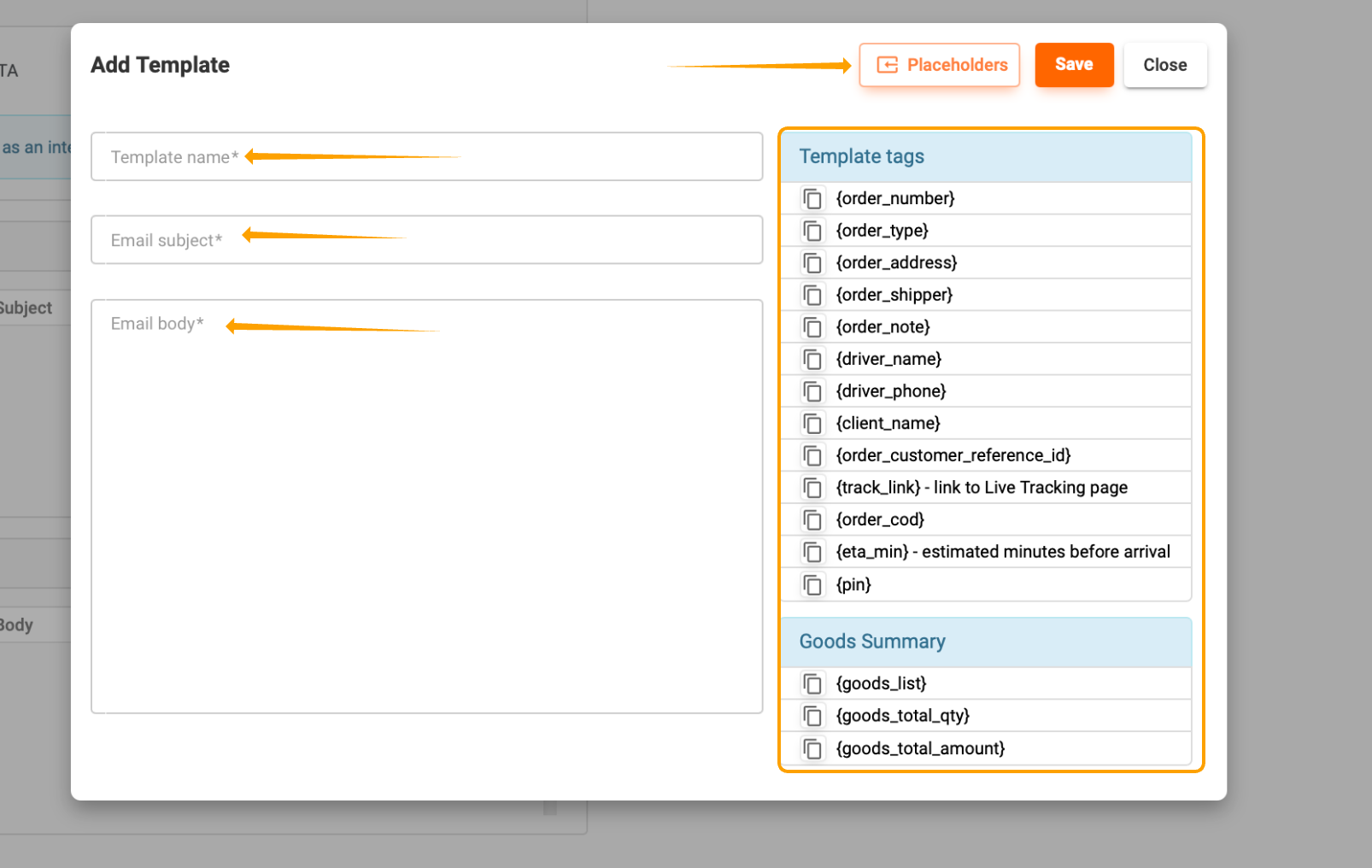
To get started, navigate to Settings -> Notifications -> Custom. Here, you can create your notification templates. Just like our standard notifications, custom notifications can be personalized with freehand text and include order, goods, and tracking placeholders. Be sure to fill in all required fields, and you can easily add placeholders by copying and pasting them into your template.
Creating Multiple Templates
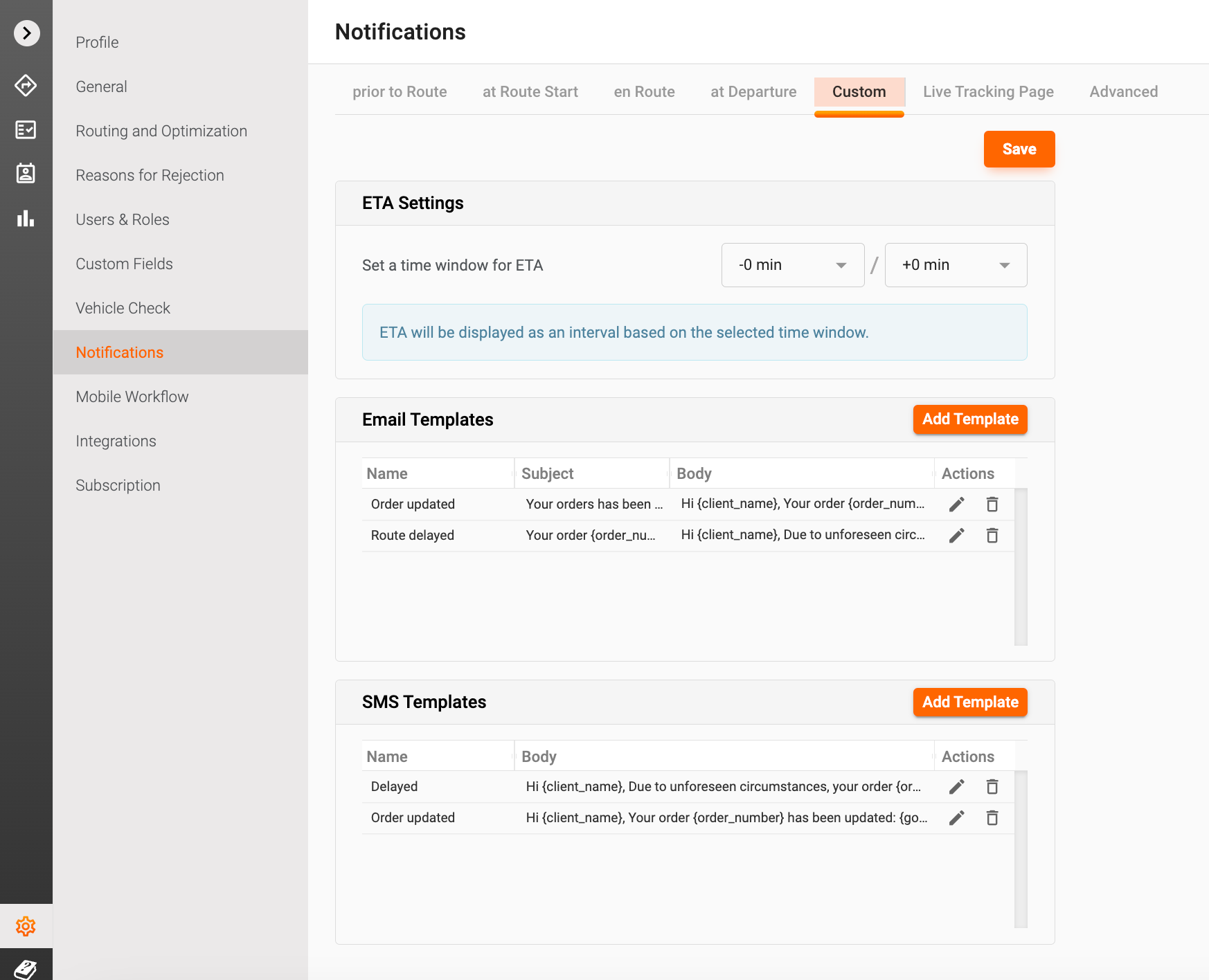
You can create as many templates as your workflow requires. This flexibility means you can have a variety of messages ready for different situations, all available for quick access directly from your dashboard.
Sending Notifications
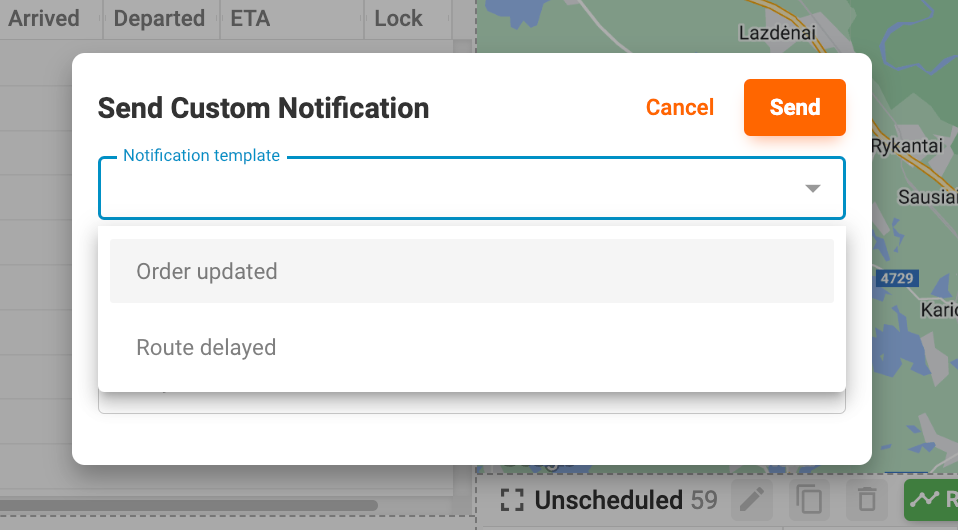
When it comes time to send a notification, you have the option to send it to an entire route or to a selected order/client. The available templates will appear based on the type of custom notification you choose to send.
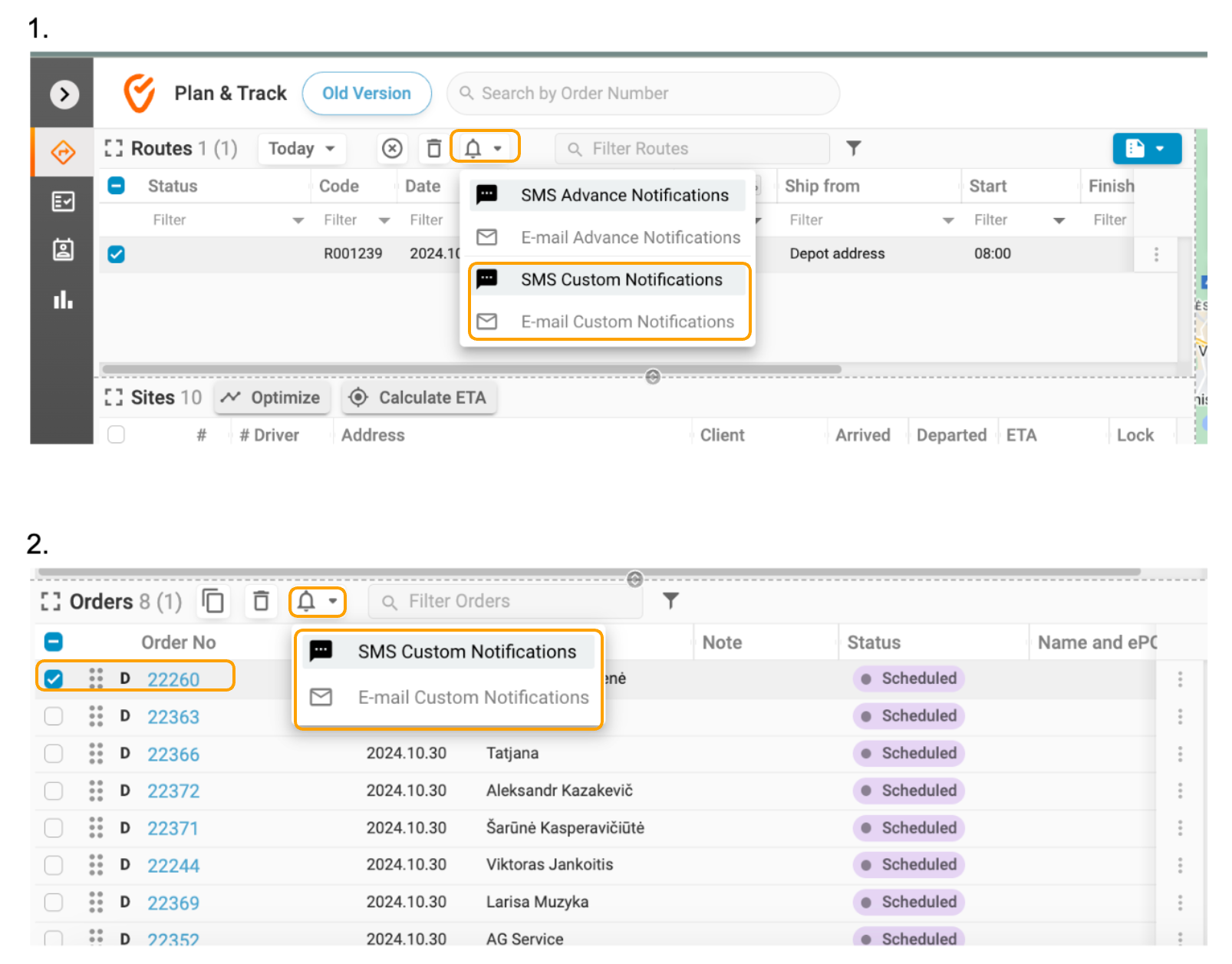
1. Select Template: Choose the appropriate template from your list.
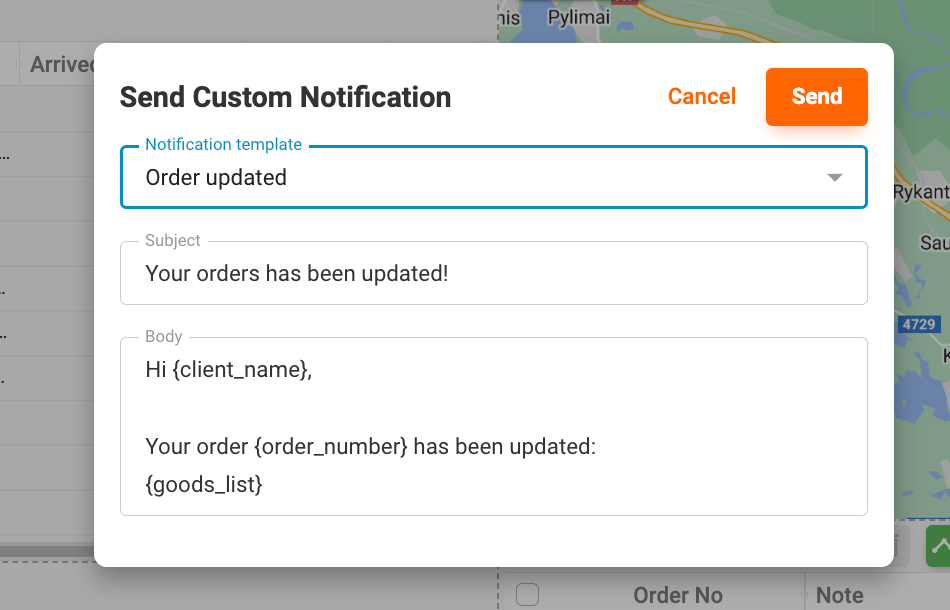
2. Preview and Edit: You can preview the message and make any necessary edits before sending it out.
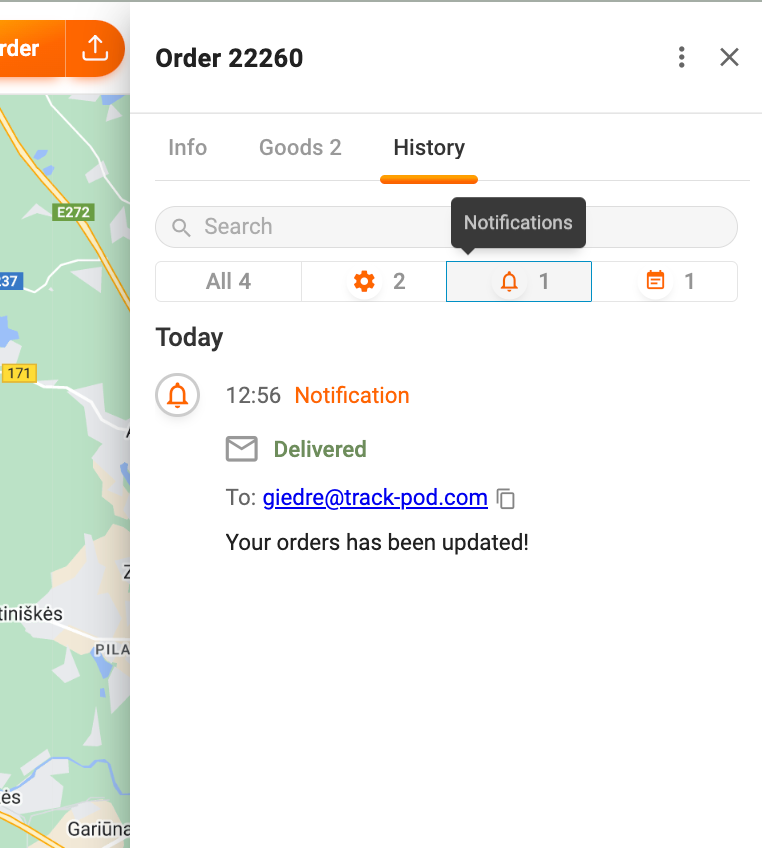
Tracking Delivery Status
Just like with all other notifications sent from Track-POD, the delivery status of your custom notifications will be reflected in the order history tab. This feature ensures you can keep track of all communications and follow up as needed.
By utilizing custom notifications, you can enhance your communication strategy, ensuring that your clients are always informed and engaged throughout the delivery process. If you have any questions or need further assistance, feel free to reach out to our support team!
Was this article helpful?
That’s Great!
Thank you for your feedback
Sorry! We couldn't be helpful
Thank you for your feedback
Feedback sent
We appreciate your effort and will try to fix the article