The Notifications Policy is an essential feature available for our Ultimate and Enterprise customers. It allows you to define which notifications are sent to shippers and end customers based on their preset preferences. This ensures that your customers receive timely and relevant updates regarding their orders, enhancing their overall experience.
You can set up notifications sent per delivery on several levels:
1. Global Settings: This is the first level of configuration that applies to your entire account. Here, you can enable or disable specific notifications for all operations. For example, you might choose to enable "En Route" notifications, which inform customers when their orders are on the way. Alternatively, you can disable notifications altogether if you prefer a quieter approach.
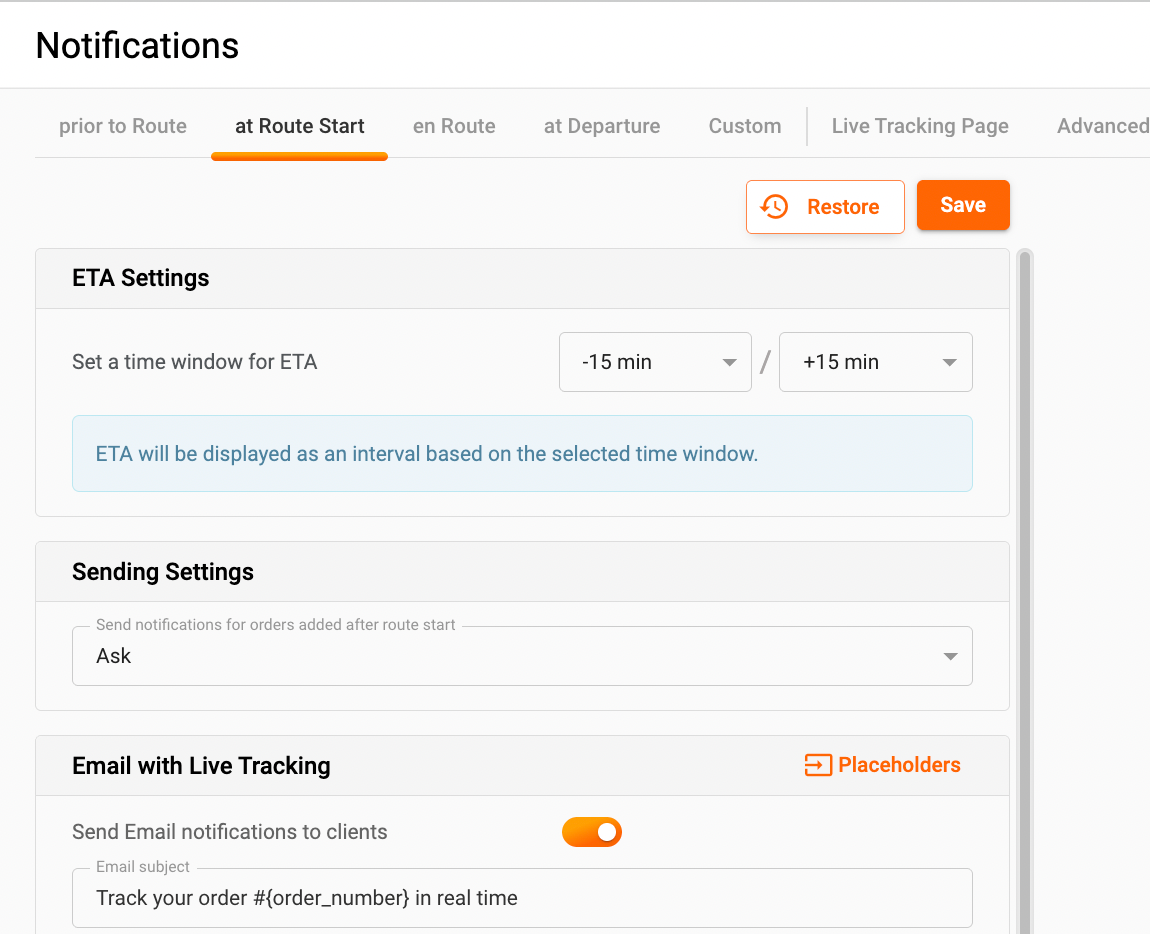
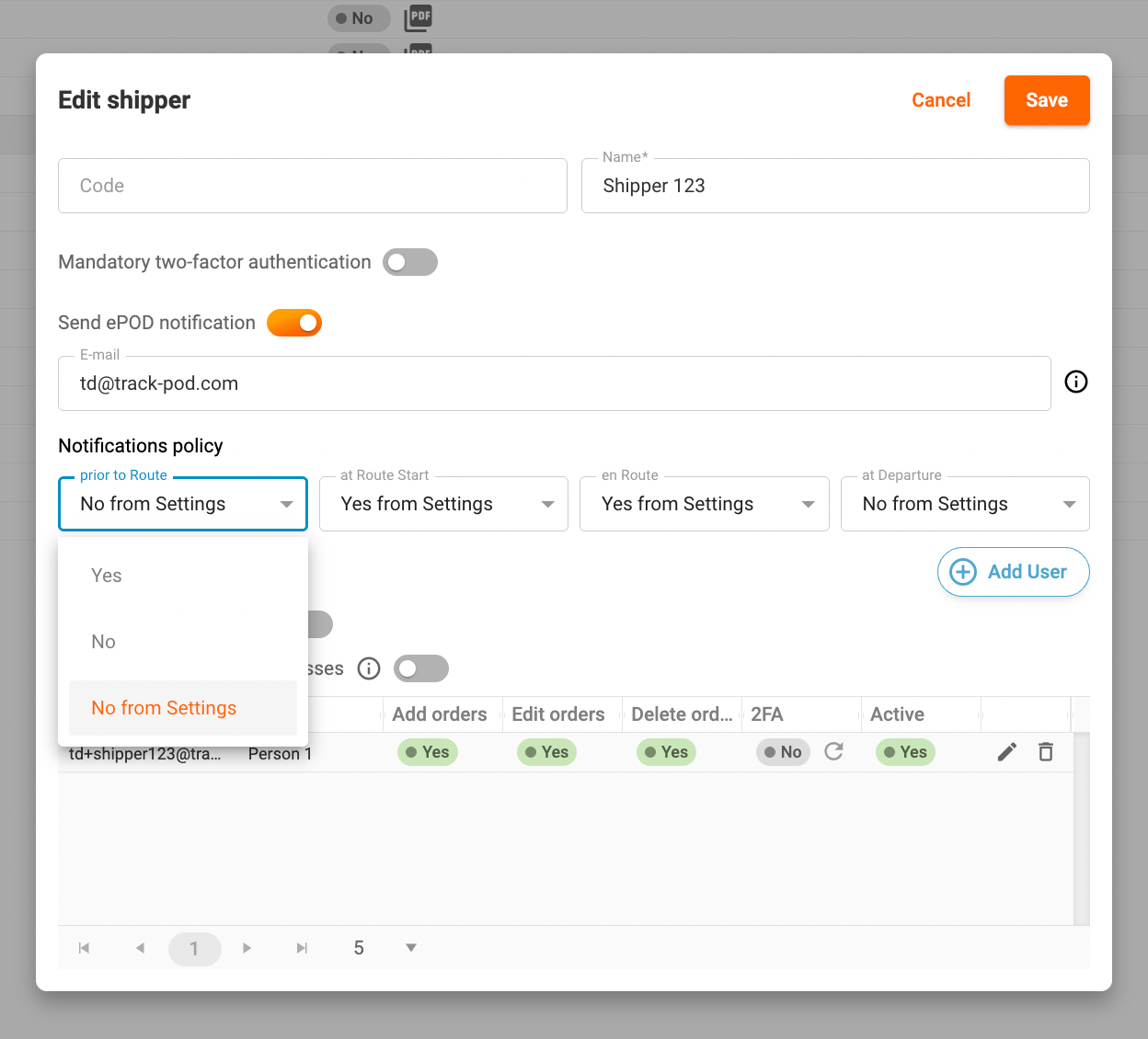
2. Shipper Level: At this level, you can tailor notifications based on the preferences of individual shippers. By navigating to Directories -> Shippers, you can select which notifications are sent for orders associated with each shipper. This allows for greater flexibility, as different shippers may have different notification needs or customer expectations.
3. Client Level: The most granular level of notification setup is at the client level. Here, you can customize the notification preferences for each customer by going to Directories -> Clients. This means you can choose specific notifications that each client will receive, ensuring that they only get the information that is most relevant to them.
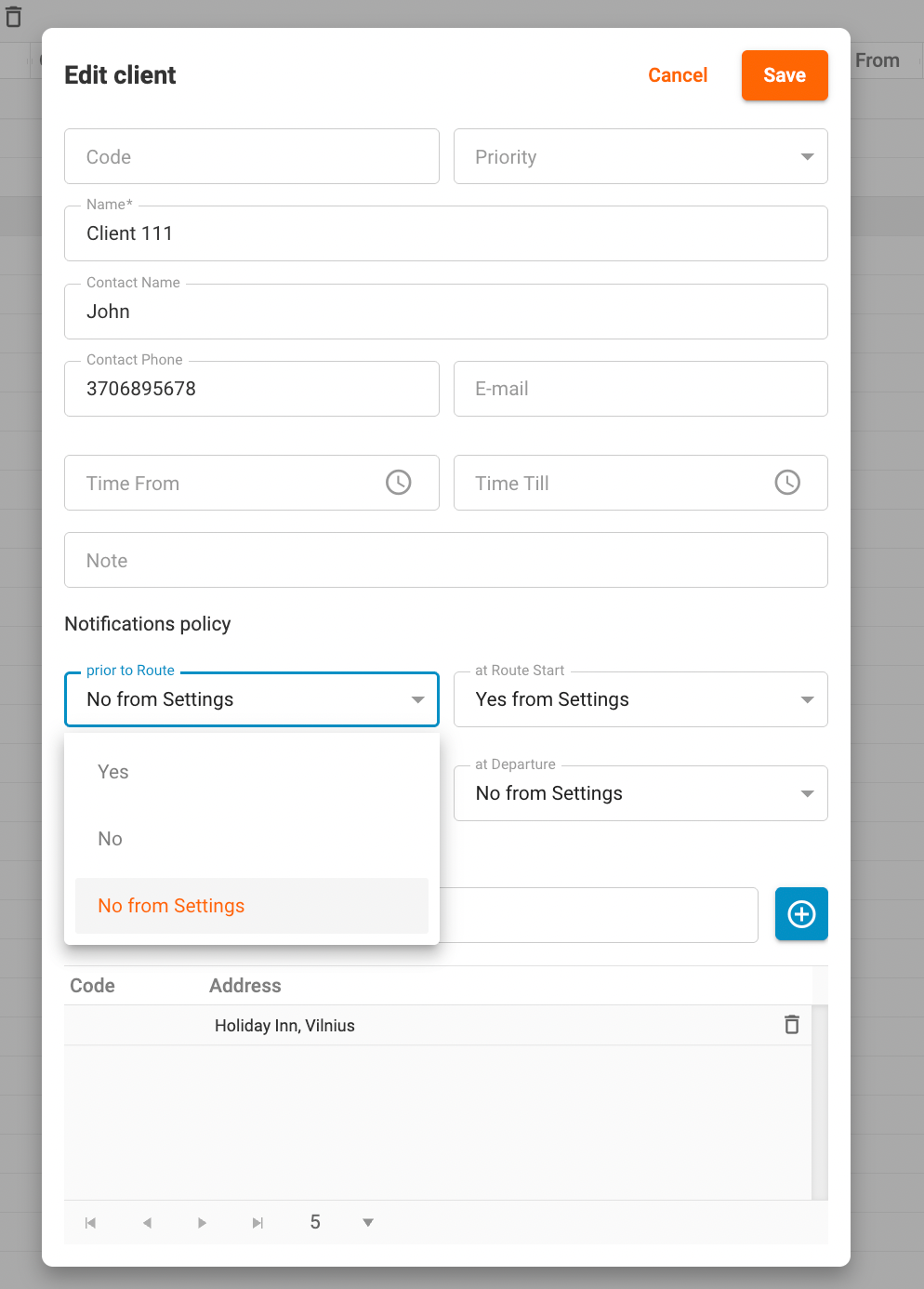
By applying the appropriate notification policy, you can control whether notifications are sent to specific clients or to clients awaiting deliveries from particular shippers. This targeted approach not only improves customer satisfaction but also helps in managing communication effectively.
Setting up your Notifications Policy is straightforward, and it can significantly enhance your customer engagement strategy. If you have any questions or need assistance, feel free to reach out to our support team!
Was this article helpful?
That’s Great!
Thank you for your feedback
Sorry! We couldn't be helpful
Thank you for your feedback
Feedback sent
We appreciate your effort and will try to fix the article