To enhance security and ensure accurate confirmation of deliveries, Track-POD offers an option to send a One-Time Password (OTP) to customers via SMS or email. This feature is available for users on the Advanced Plus, Ultimate, Enterprise, and Per Order pricing plans. Follow the steps below to set up OTP confirmation for your deliveries.
Step-by-Step Setup
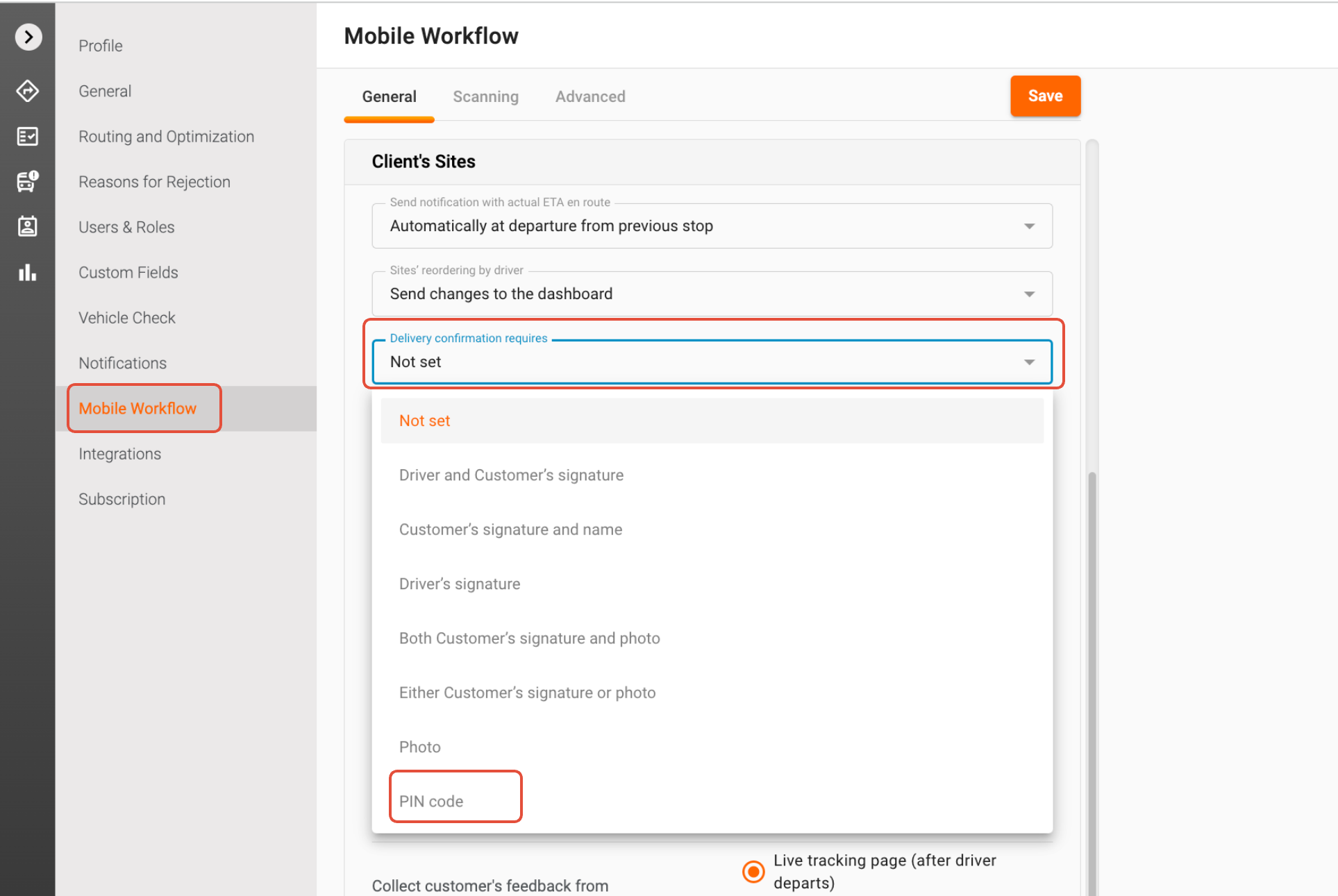
1. Access Settings: Begin by navigating to the Settings section of your Track-POD account.
2. Mobile Workflow: Once in Settings, locate the Mobile Workflow option. Click on it to access the delivery confirmation settings.
3. Select Delivery Confirmation Method: In the Mobile Workflow settings, you will find a drop-down list labeled "Delivery confirmation requires" (this setting is also applicable for Pickup orders). Click on the drop-down and select "PIN code" from the list. This action enables the OTP feature for your deliveries. You can select multiple options here, e.g. Photo, Signature, and PIN code.
Notifications with PIN Code
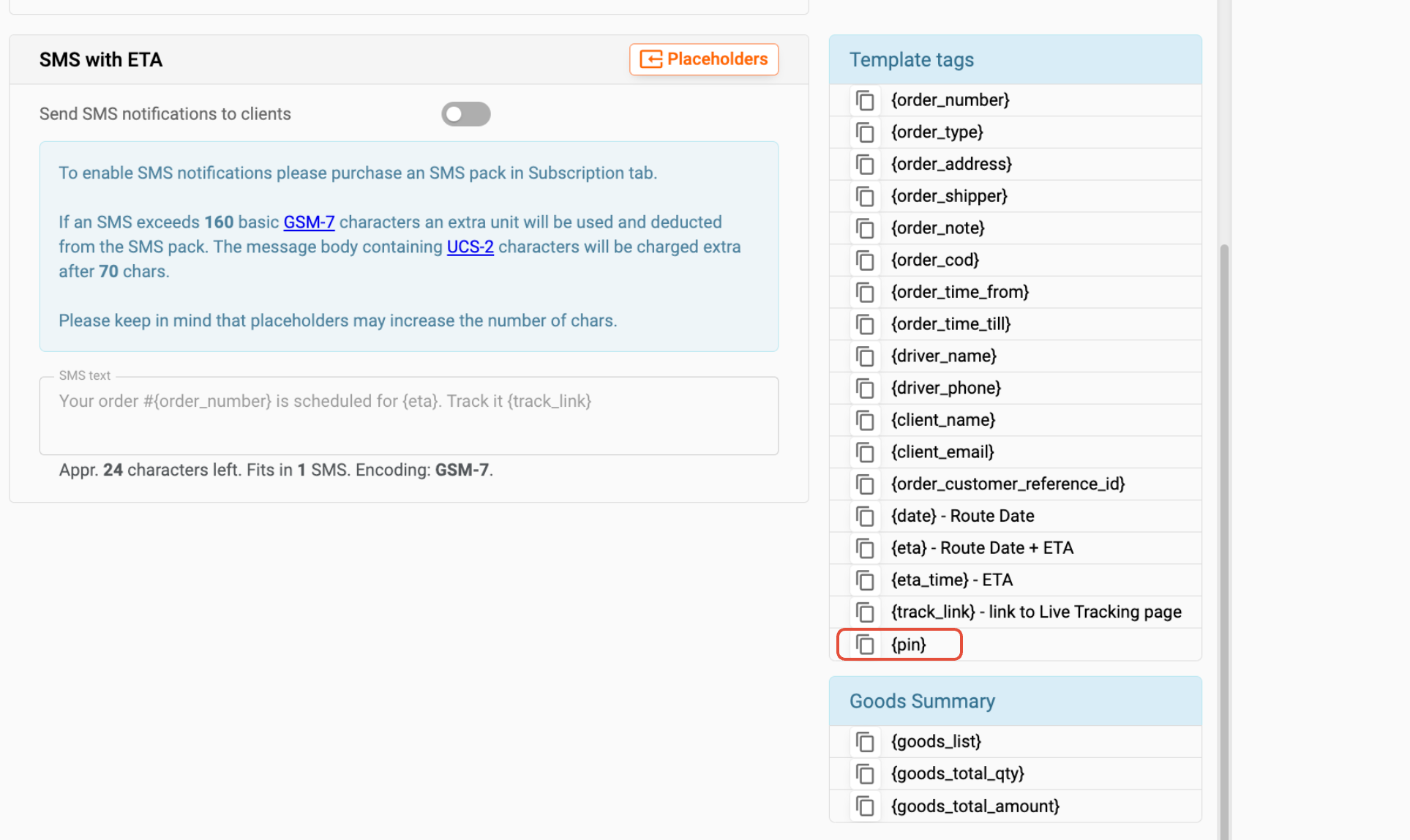
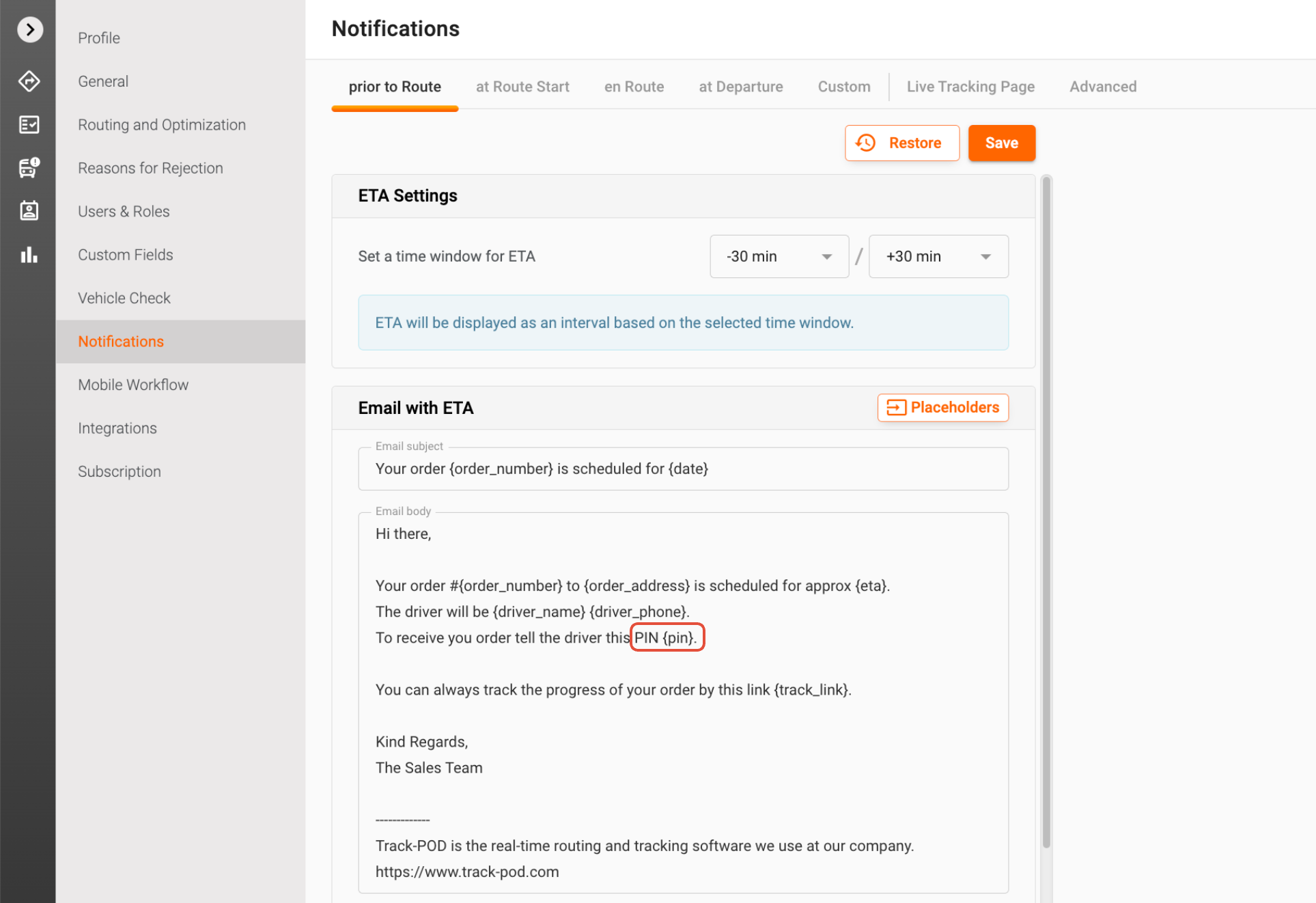
After enabling the PIN code confirmation, add the PIN placeholder to your email and SMS notifications. This means that whenever you send notifications to your customers, they will receive a unique PIN code that is generated for their specific delivery.
Communication of the PIN Code
You can choose to send the PIN code to your customers at various stages of the delivery process:
- Prior to Route: Notify customers before the delivery route begins.
- At Route Start: Send the PIN code when the delivery route officially starts.
- en Route: Communicate the PIN code when the driver leaves the previous location.

Driver Confirmation Process
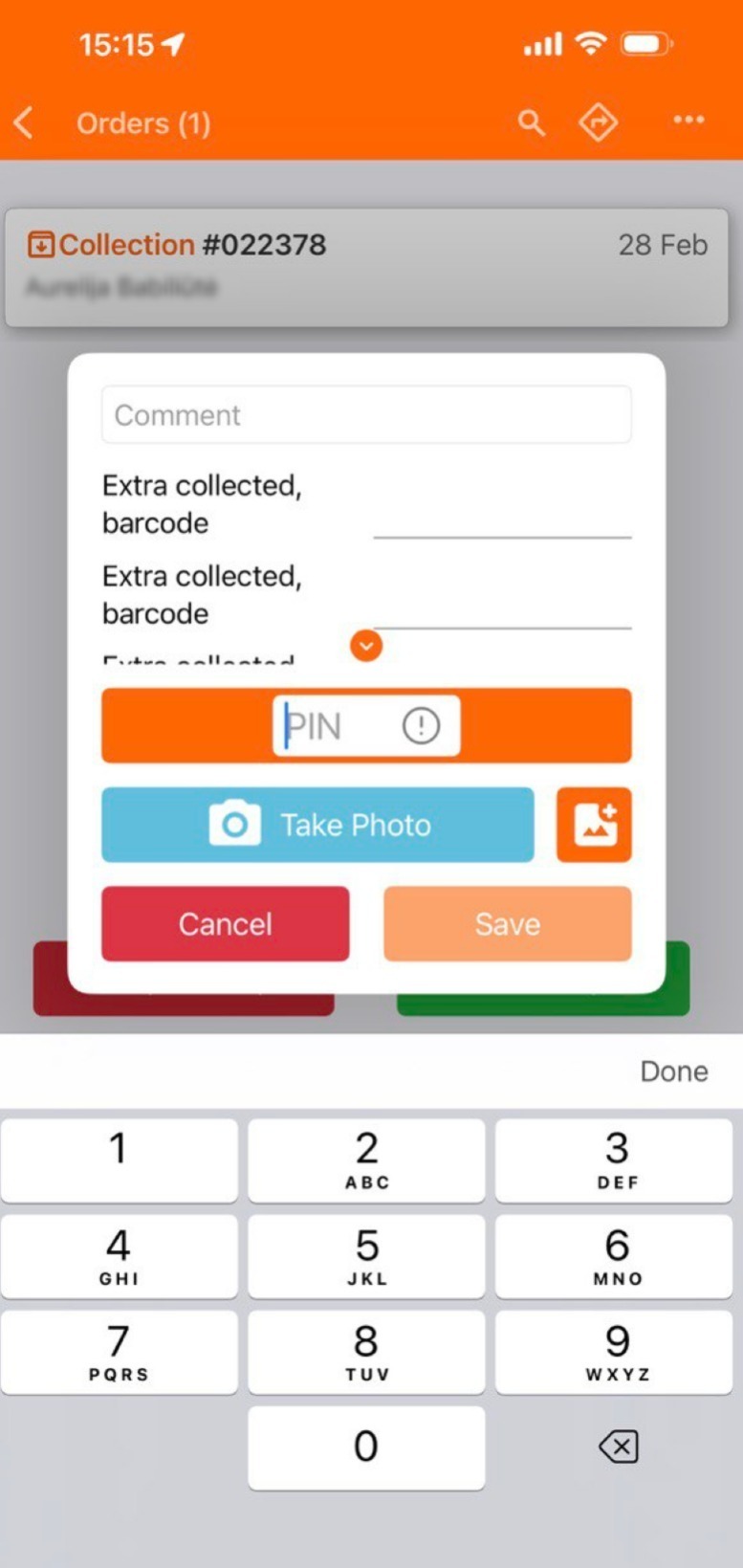
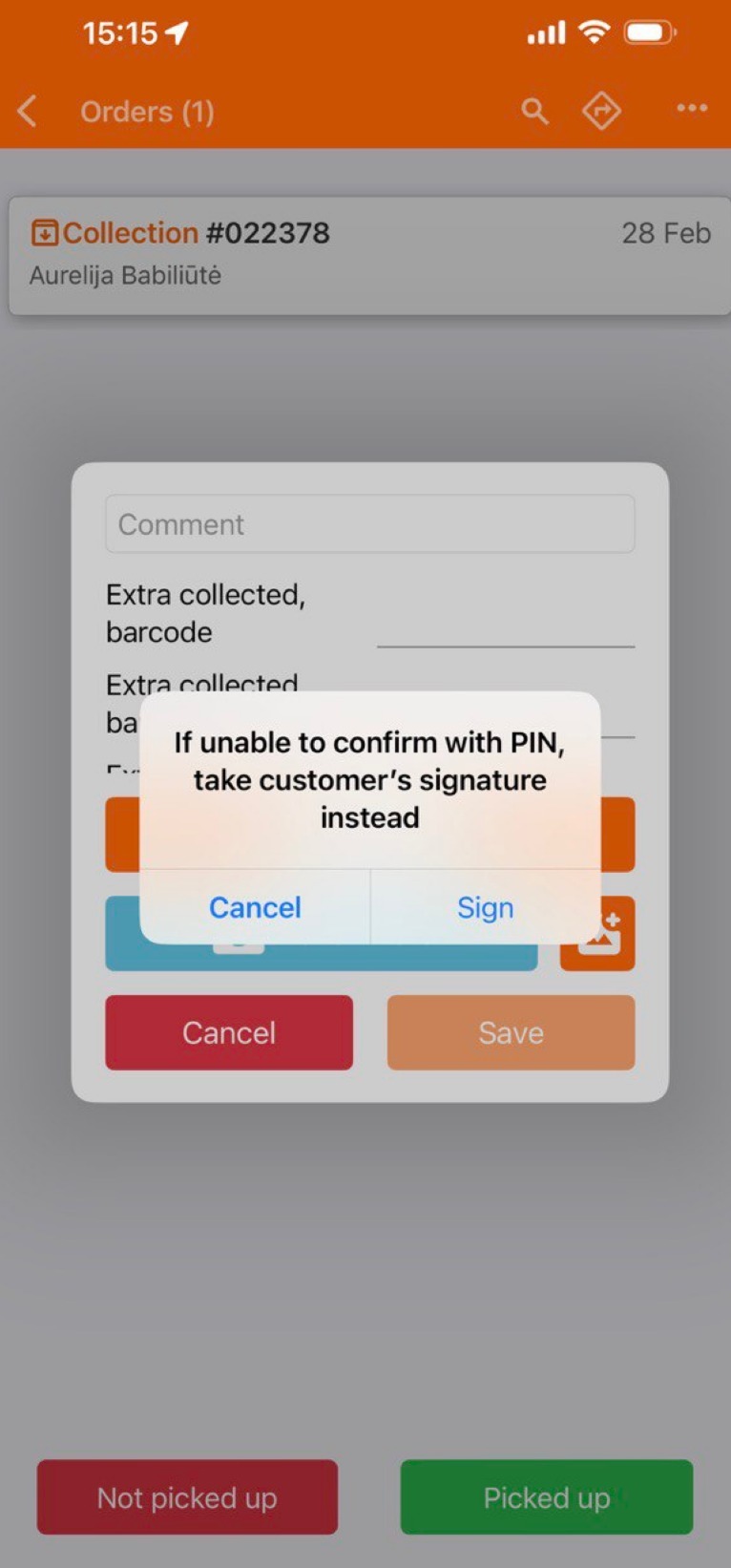
Upon arrival at the customer's location, the driver will request the PIN code from the customer. The driver will then enter this code into the Order Confirmation window within the Track-POD app. If, for any reason, the driver cannot communicate the PIN code to the customer, a signature will be required to confirm the delivery.
Need Assistance?
If you have any questions or need further assistance with setting up OTP confirmation, please feel free to reach out to our support team at support@track-pod.com. We are here to help you ensure a secure and efficient delivery process!
Was this article helpful?
That’s Great!
Thank you for your feedback
Sorry! We couldn't be helpful
Thank you for your feedback
Feedback sent
We appreciate your effort and will try to fix the article