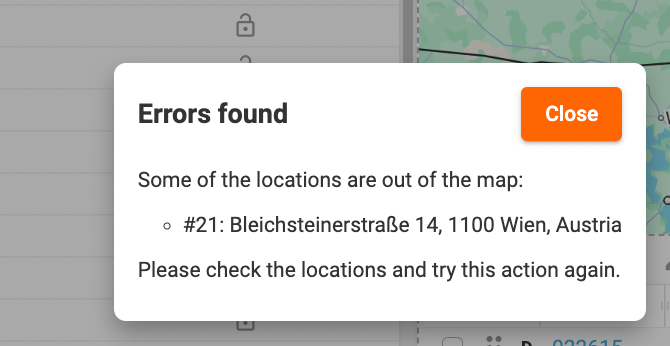
When optimizing your routes or calculating estimated times of arrival (ETAs) for your stops, you may encounter an error message indicating that some addresses are out of the map. This can be frustrating, but don’t worry! There are a few simple steps you can take to resolve this issue and continue with the optimization process smoothly.
Check Your Routing and Optimization Settings
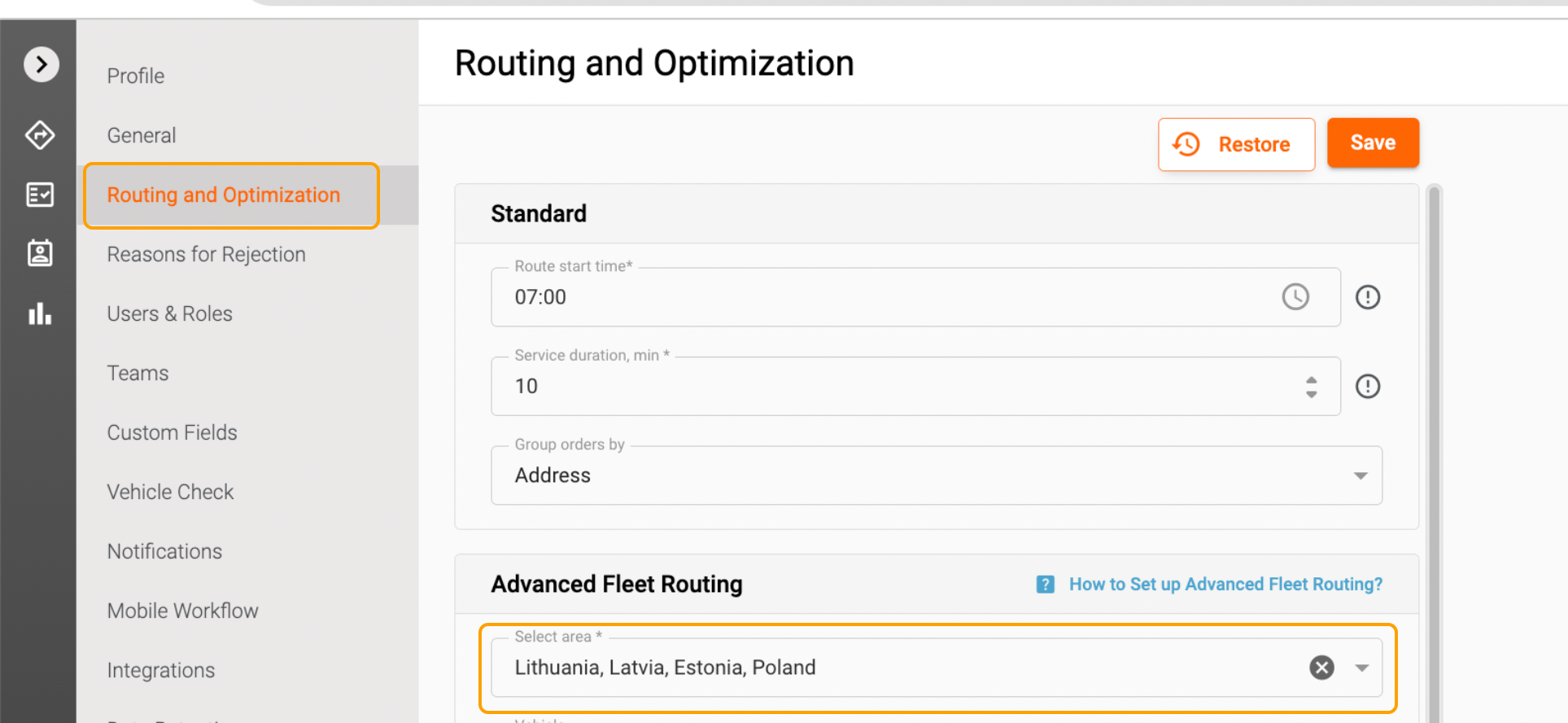
First, navigate to your Routing and Optimization settings and check the map you have selected. It’s crucial to ensure that the map covers the territory of the order addresses you are trying to optimize. If the map does not include the specific area where your addresses are located, you will encounter the error message. To avoid this, select a map that encompasses the entire territory of your delivery locations. This adjustment will help you proceed with the optimization process without any hitches.
Verify the Map for Your Order Depot
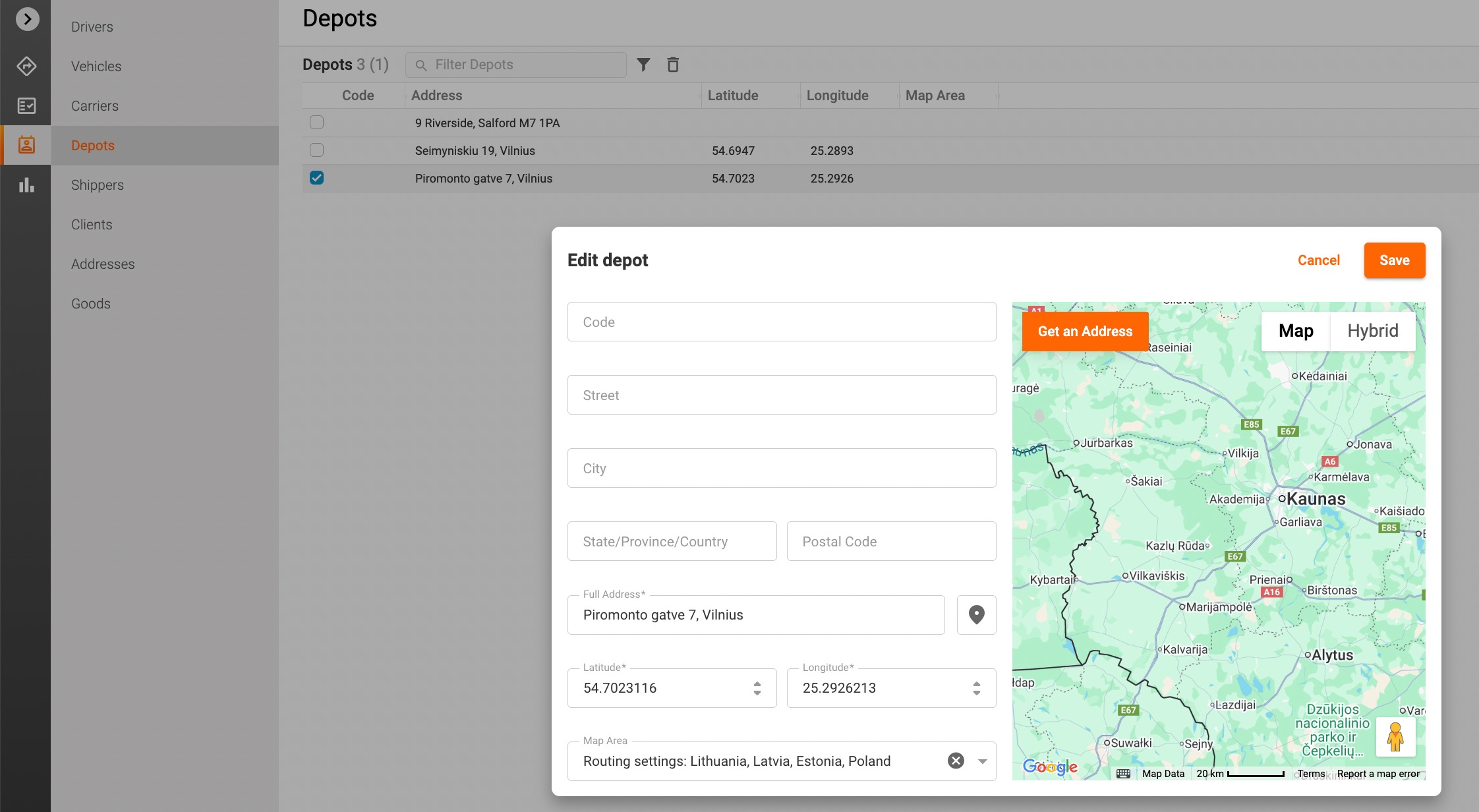
In addition to checking your routing settings, it’s important to verify the map selected for your order depot. Go to Directories -> Depots and ensure that the map you have chosen for the order depot also covers the territory of the order addresses. If the map does not include the necessary areas, you may face the same error message when attempting to optimize your routes. Ensuring that both your routing settings and order depot maps are correctly configured is essential for a seamless experience.
Final Steps
By following these simple steps and ensuring that the selected maps cover the relevant territories, you can eliminate the error message and successfully optimize your routes and calculate ETAs for your stops. If you continue to experience issues, please don’t hesitate to reach out to our customer support team for further assistance at support@track-pod.com. We are here to help and ensure that you can make the most of our routing and optimization features. Your satisfaction is our priority!
Was this article helpful?
That’s Great!
Thank you for your feedback
Sorry! We couldn't be helpful
Thank you for your feedback
Feedback sent
We appreciate your effort and will try to fix the article