While we understand that Track-POD isn't the perfect solution for everyone, we're sorry to see you go. If you've decided to cancel your subscription, we want to make the process as smooth as possible for you. Below, we provide a step-by-step guide on how to unsubscribe from Track-POD.
Step 1: Admin Access Required
Please note that only account administrators have the authority to cancel or unsubscribe from a paid subscription. If you are not an admin, please reach out to your account administrator to proceed with the cancellation.
Step 2: Navigate to Settings
1. Log in to your Track-POD account.
2. Once logged in, locate the Settings option in the main menu. Click on it to access your account settings.
Step 3: Access Subscription
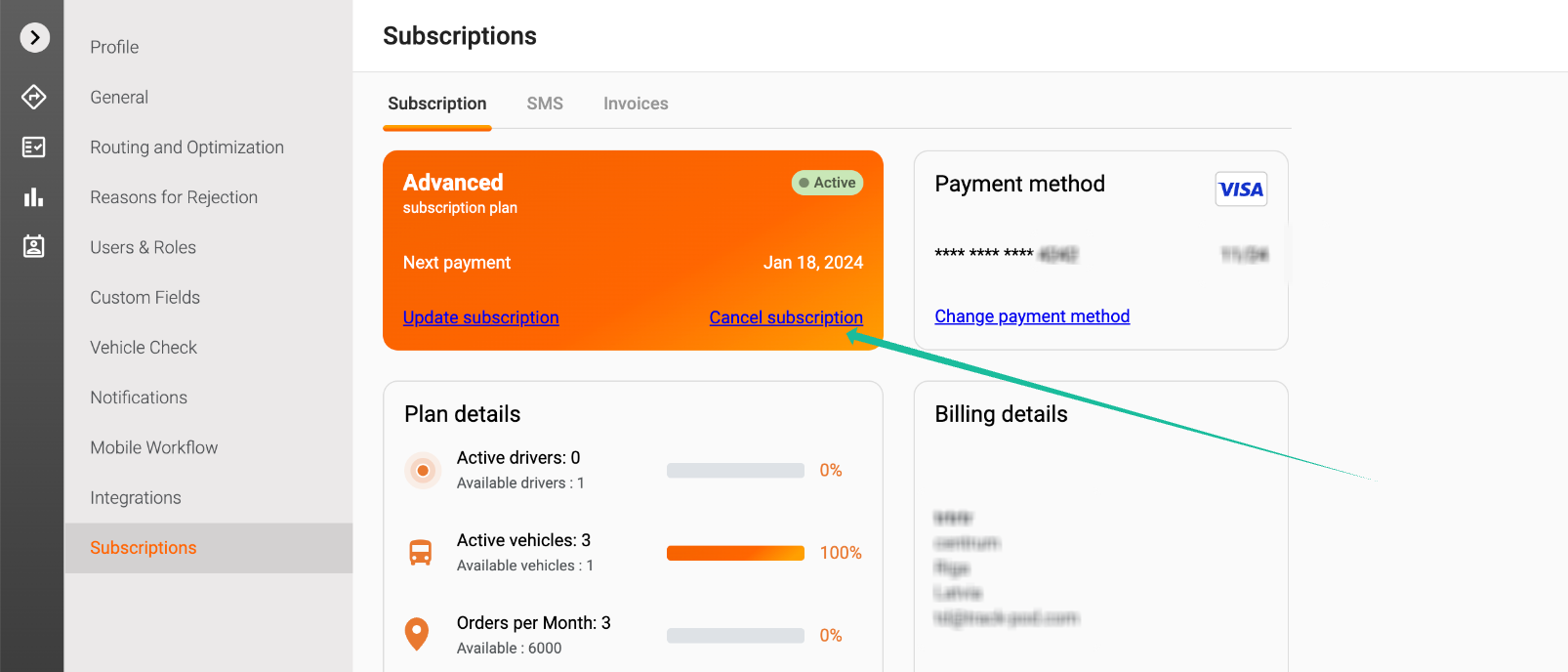
1. Within the Settings menu, find and select the Subscription tab. This section contains all the details related to your current subscription plan.
Step 4: Cancel Subscription
1. In the Subscriptions section, you will see an option to Cancel Subscription. Click on this button to initiate the cancellation process.
Step 5: Confirm the Action
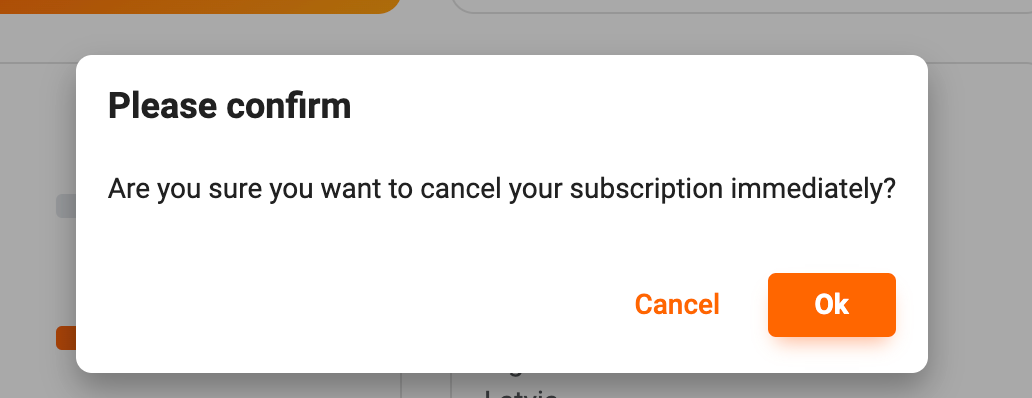
1. After clicking the cancel button, you will be prompted to confirm your decision. Please read any information provided carefully and confirm that you wish to proceed with the cancellation.
Important Note: No Refund Policy
Please be aware that Track-POD has a strict no-refund policy for unused time. Once your subscription is canceled you can still operate your account: add orders, schedule routes, complete deliveries until the account expiry date, however, you will not receive a refund for any remaining time on your account. We encourage you to review our Terms of Use for more details regarding our policies.
If you have any further questions or need assistance during the cancellation process, please feel free to reach out to our customer support team. We’re here to help!
Was this article helpful?
That’s Great!
Thank you for your feedback
Sorry! We couldn't be helpful
Thank you for your feedback
Feedback sent
We appreciate your effort and will try to fix the article